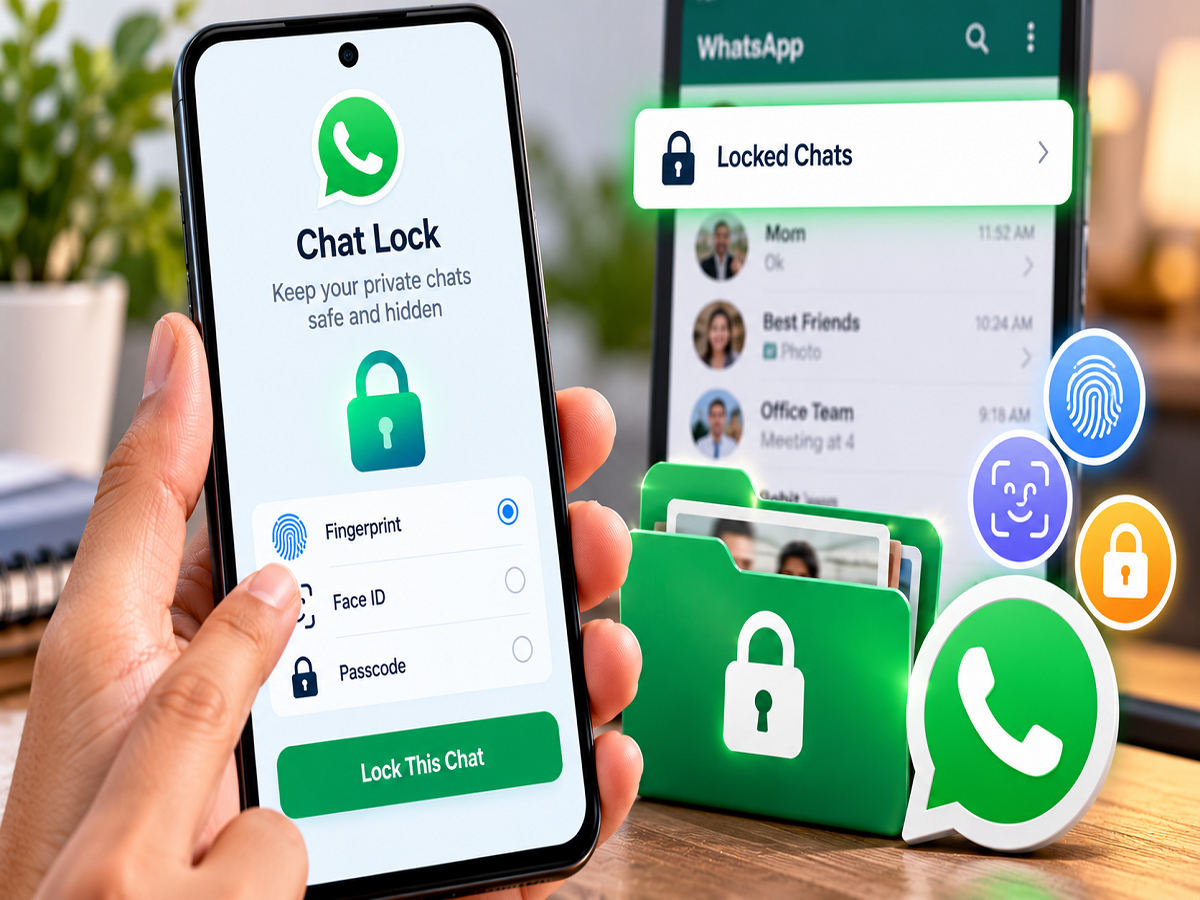
WhatsApp conversations can contain personal messages, photographs, documents and other information that you may not want someone else to see, even if they temporarily have access to your phone. For an additional layer of privacy, WhatsApp provides a Chat Lock feature that lets users protect selected individual and group conversations.
Once a conversation is locked, it is moved away from the regular chat list into a separate Locked Chats section. Accessing that section requires authentication using a supported security method on your device, such as a fingerprint, Face ID, passcode or another available device-lock method.
The feature can be particularly useful when you occasionally hand your unlocked phone to another person but still want selected WhatsApp conversations to remain private.
Here's how WhatsApp Chat Lock works and how you can enable or remove it.
What Is WhatsApp Chat Lock?
Chat Lock provides additional protection for selected WhatsApp conversations without requiring you to lock the entire application separately.
After you activate the feature for a particular chat, WhatsApp moves that conversation into a protected area.
To access it again, you need to authenticate yourself using the security option supported by your phone and WhatsApp.
Depending on your device, this could include:
- Fingerprint authentication
- Face ID or facial authentication
- Device PIN, password or passcode
Available authentication methods can differ between Android phones and iPhones.
How to Lock a Personal WhatsApp Chat
You can enable Chat Lock for an individual conversation directly from its settings.
Follow these steps:
- Open WhatsApp on your smartphone.
- Open the conversation you want to protect.
- Tap the person's name or phone number at the top of the conversation.
- Scroll through the contact or chat information page until you find Chat Lock.
- Tap the Chat Lock option.
- Enable the option to lock the conversation using the authentication method offered by your phone.
- Verify your identity using your fingerprint, Face ID, PIN or passcode when prompted.
After successful authentication, the conversation will be moved from the regular chat list to the protected Locked Chats section.
Can You Lock a WhatsApp Group?
Yes. Chat Lock is not limited to conversations with individual contacts.
If you have a group containing private, professional or otherwise sensitive discussions, you can protect it in a similar manner.
Open the group, tap the group name, locate the Chat Lock setting and follow the authentication process.
Once enabled, the group conversation will be moved into the protected section along with your other locked chats.
How to Find Locked Chats on WhatsApp
After locking a conversation, you may notice that it is no longer visible in its usual position in your main chat list.
To access your protected conversations, open WhatsApp and go to the main Chats screen.
Depending on your WhatsApp version and settings, you may need to pull down on the chat list to reveal the Locked Chats folder.
Tap the folder and complete the required authentication.
Once your identity is verified, WhatsApp will display the conversations stored inside the protected area.
How to Remove Chat Lock
You can return a protected conversation to your normal WhatsApp chat list whenever you want.
First, open the Locked Chats section and authenticate yourself.
Then:
- Open the conversation you want to unlock.
- Tap the contact or group name at the top.
- Scroll to Chat Lock.
- Turn the Chat Lock option off.
- Confirm your identity when WhatsApp asks for authentication.
The conversation should then return to your regular chat list.
Chat Lock Is Different From Locking WhatsApp
There is an important distinction between locking an individual conversation and protecting the entire WhatsApp application.
An app-level lock restricts access to WhatsApp itself. Chat Lock, on the other hand, provides additional protection for specific conversations within WhatsApp.
For example, someone may be able to open WhatsApp on an already unlocked phone but still be unable to access conversations protected through Chat Lock without completing the required authentication.
Users looking for stronger privacy can consider using both device security and WhatsApp's available privacy features.
What Happens to Notifications From Locked Chats?
Privacy is not only about hiding a conversation from the main chat screen. Message notifications can sometimes reveal information as well.
WhatsApp's Chat Lock is designed to provide additional privacy around protected conversations, including limiting the information displayed in notifications in supported configurations.
However, notification behaviour can depend on your operating system, WhatsApp version and notification settings.
If privacy is particularly important, review your phone's lock-screen notification settings and consider disabling message previews.
Use a Secret Code for Additional Privacy Where Available
WhatsApp has also introduced additional privacy controls for locked conversations on supported versions, including the ability to use a Secret Code.
A Secret Code can provide another way to protect or conceal access to locked conversations beyond the standard Locked Chats folder behaviour.
Feature availability can vary according to the WhatsApp version, operating system and rollout status.
Users should keep WhatsApp updated through the official Google Play Store or Apple App Store to access the latest privacy features available for their device.
Chat Lock Does Not Replace Basic Phone Security
Chat Lock adds privacy, but it should not be your only security measure.
Always protect your smartphone with a strong PIN, password or biometric authentication. Avoid sharing your device passcode with people you do not trust.
WhatsApp users should also consider enabling two-step verification for their account. This provides additional account protection and is different from Chat Lock.
Never share WhatsApp verification codes or two-step verification PINs with another person.
Keep WhatsApp Updated
The exact names and positions of Chat Lock settings may change as WhatsApp updates its Android and iOS applications.
If you cannot find the option described above, check whether an updated version of WhatsApp is available from your phone's official app store.
With Chat Lock enabled, users can keep selected personal or sensitive conversations separate from their regular chat list and require additional authentication before those messages can be viewed.
Note: Chat Lock options, Secret Code availability and authentication methods may differ depending on your device, operating system and WhatsApp version. Follow the privacy options displayed in the latest official version of WhatsApp installed on your phone.