An Instagram username that seemed perfect when you created your account may not feel right several years later. Perhaps you used an old nickname, your interests have changed, or you now use Instagram professionally and want a handle that better represents your name, brand or business.
The good news is that you don't need to create another Instagram account just to get a new username. Instagram allows users to change their existing handle from their profile settings, provided the new username is available and meets the platform's requirements.
However, changing a username can affect more than what appears at the top of your profile. Your Instagram profile address is also linked to your handle, so it is worth understanding what changes before choosing a new one.
Instagram Username and Display Name Are Different
Before changing anything, it is useful to understand the difference between your Instagram username and display name.
Your username, commonly called your Instagram handle, is the unique identity associated with your account. It appears on your profile and forms part of your Instagram profile URL.
Because every username must identify a particular account, two Instagram users cannot have exactly the same handle at the same time.
A display name, meanwhile, is the name shown on your profile and does not have the same uniqueness requirement. This means multiple people can potentially use identical or similar display names.
Instagram usernames generally support letters, numbers, periods and underscores, subject to the platform's current naming rules.
How to Change Your Instagram Username
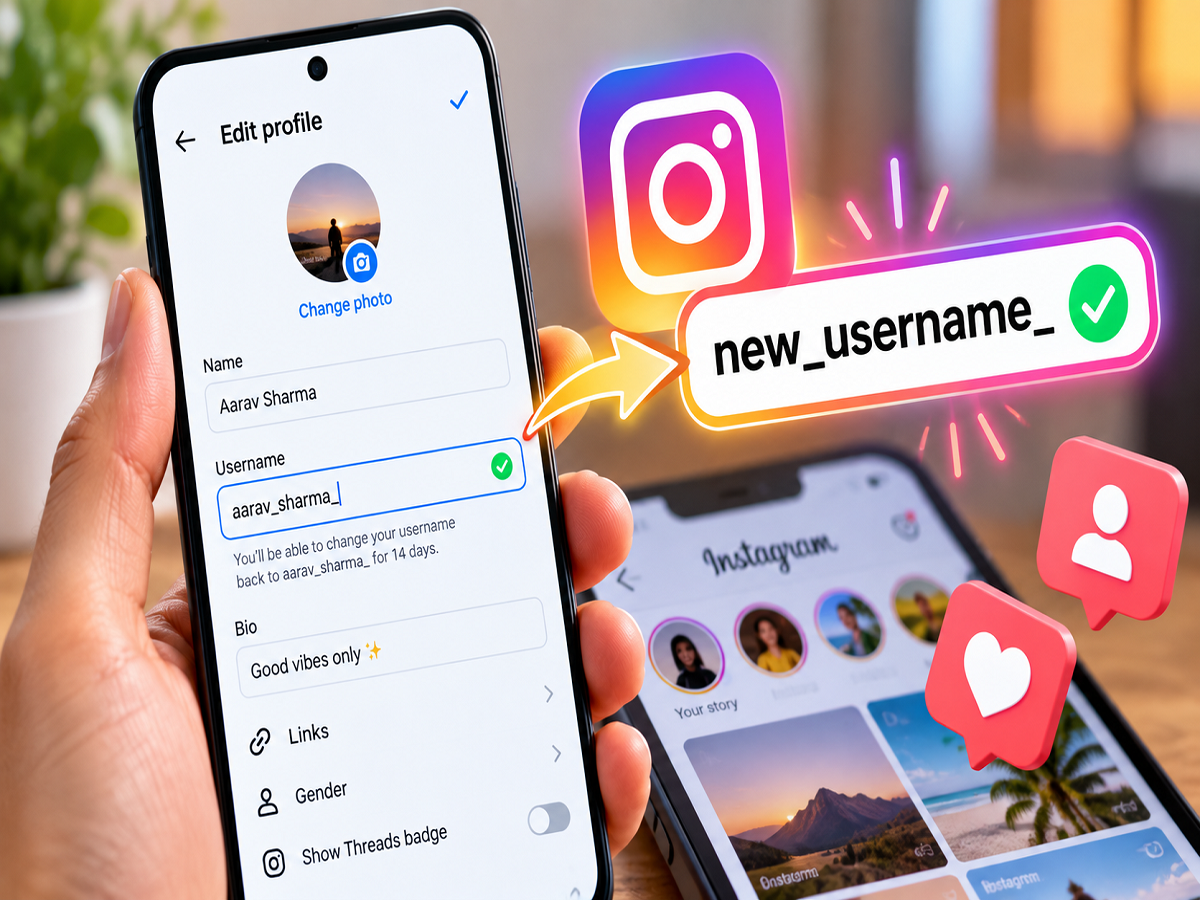
Changing your handle can be done directly through the Instagram app. The exact wording or placement of some options may vary slightly depending on the app version.
Follow these steps:
- Open the Instagram app on your Android phone or iPhone and sign in to the account whose username you want to change.
- Tap your profile picture in the bottom-right corner to open your profile.
- Select Edit Profile.
- Find and tap the Username field.
- Remove your existing username and enter the new handle you want to use.
- Instagram will check whether that username is available. If another account is already using it, you will need to choose a different variation.
- Once you have entered an acceptable and available username, save the changes using the checkmark, Done button or the equivalent option shown in your app.
Your profile will then reflect the updated username once Instagram processes the change.
What If Your Preferred Username Is Already Taken?
Instagram usernames must be unique. Therefore, you cannot simply claim a handle that is already assigned to another account.
If your first choice is unavailable, you can try a variation. For instance, you could use an underscore, period, number or shortened version of your name, provided it follows Instagram's current username requirements.
For professional or business accounts, avoid making a handle unnecessarily complicated. A short and memorable username is generally easier for customers or followers to search for and remember.
Check Your New Handle Carefully Before Saving
Changing a personal account's username may be relatively straightforward, but extra care is useful if you operate a creator, professional or business profile.
Check the spelling before confirming the new username. A typo could make it harder for existing followers or customers to locate the account.
It is also sensible to consider whether the new handle accurately represents the identity you intend to use over the longer term rather than changing it repeatedly.
Your Instagram Profile Link Will Also Change
One of the most important consequences of changing your username is that your profile URL is tied to the handle.
For example, if you previously used one username and switch to another, the address associated with your profile changes accordingly.
This matters if you have shared your Instagram profile link elsewhere.
After changing the handle, review places where the previous profile address may appear, including your website, blog, online portfolio, email signature, digital business card and profiles on other social networks.
Updating these references can help ensure that visitors continue reaching the correct Instagram account.
Can You Switch Back to Your Previous Username?
Instagram may allow users to change back to a previously used username in certain circumstances, including when that username has not been taken by somebody else and remains available under Instagram's rules.
However, users should not assume that an old handle will remain reserved indefinitely.
Instagram's policies and availability rules can change, and some username changes—particularly for accounts reaching large audiences—may be subject to additional review.
For this reason, avoid giving up a valuable or widely recognized username unless you are comfortable with the possibility that you may not be able to recover it later.
What to Do After Changing Your Instagram Handle
After the update, search for your profile using the new username to confirm everything appears correctly.
If you use Instagram for professional purposes, inform your audience about the change where appropriate. Updating external links is particularly important because people may still try to reach your account through an older bookmarked or published profile address.
You should also be cautious of impersonation. If your previous username later becomes available and is claimed by someone else, followers who remember the old handle could potentially become confused.
Choosing a Better Instagram Username
A good username should ideally be simple, recognizable and easy to type. For a personal profile, your name or a recognizable variation may work well. Businesses and creators may prefer a handle closely associated with their public name or brand.
Avoid adding unnecessary characters simply to make a username look different, especially if you expect people to search for your profile manually.
Changing your Instagram username takes only a few steps, but the impact can extend beyond the app itself. Check availability, confirm the spelling and remember to update any external links that point to your old handle.
Note: Instagram may modify its username policies, interface and account settings over time. Availability of a previous username is not guaranteed, so users should check the latest options displayed within the Instagram app before making changes.