A mobile number is no longer used only for phone calls and internet access. It is commonly linked with banking services, UPI accounts, social-media profiles, email accounts and several other digital services. This makes it important to know exactly which SIM connections have been issued using your identity.
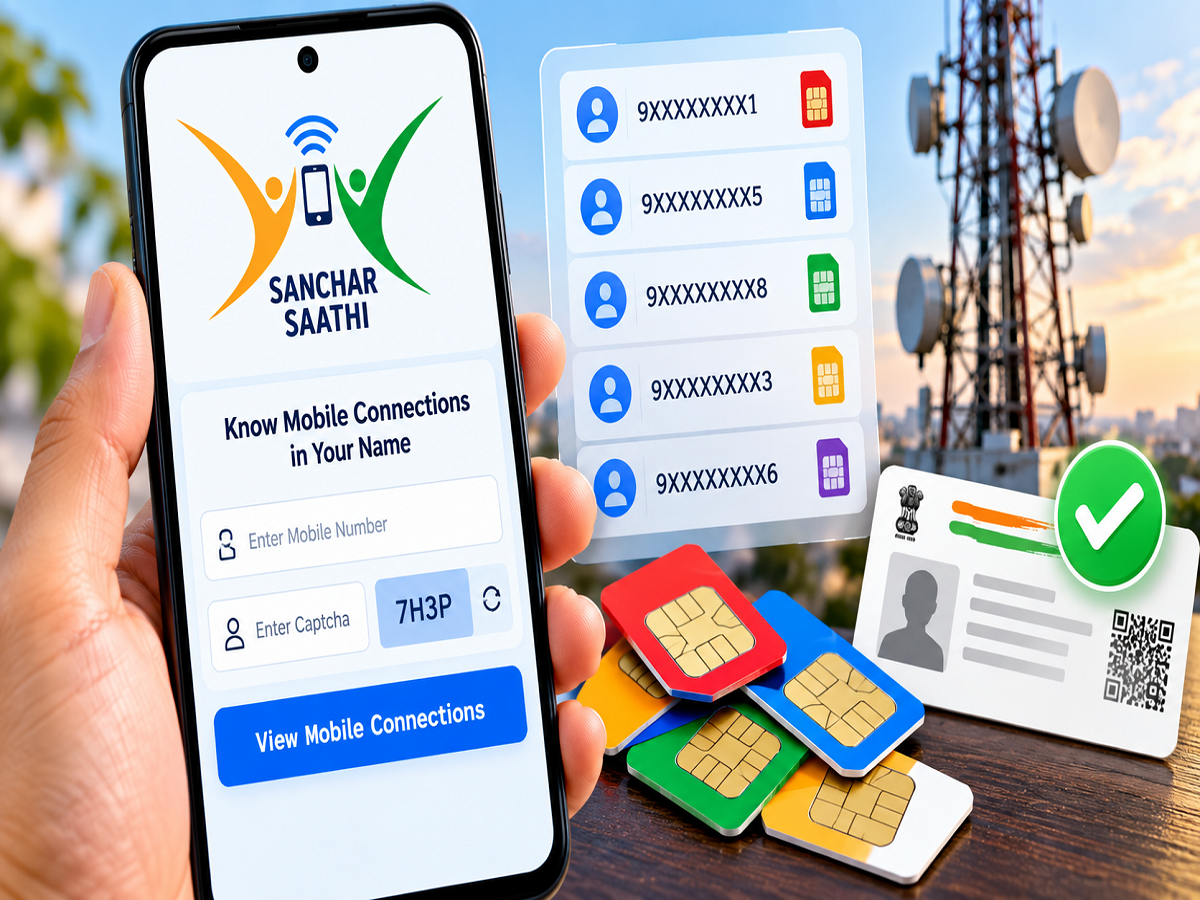
If an unfamiliar mobile connection is registered in your name, it could potentially be misused without your knowledge. Fortunately, the Department of Telecommunications (DoT) provides an online facility through the Sanchar Saathi portal that allows users to check mobile connections associated with their identity and report numbers they do not recognise.
So, whether there are two, four, seven or more connections associated with your details, you can review them online instead of visiting individual telecom stores.
What Is the Sanchar Saathi Portal?
Sanchar Saathi is an initiative of the Department of Telecommunications designed to help mobile users manage and protect their telecom identity.
Among its consumer-facing services is a facility that allows users to view mobile connections issued in their name.
This can be particularly useful if you have changed mobile operators several times, previously used multiple SIM cards, or simply want to make sure that an unknown connection has not been activated using your identity.
How to Check SIM Cards Registered in Your Name
Checking the mobile connections associated with your identity can be done online.
Follow these steps:
- Visit the official Sanchar Saathi portal.
- Look for the service that allows you to check mobile connections registered in your name.
- Enter your active mobile number in the required field.
- Complete the CAPTCHA or other verification shown on the page, if requested.
- Request an OTP and enter the code received on your registered mobile number.
- After successful verification, the portal will display information about mobile connections associated with your identity.
- Review the displayed connections carefully and make sure you recognise them.
The interface and names of individual options can change as the portal is updated, so users should follow the instructions currently displayed on the official website.
What If You Find an Unknown Mobile Number?
Finding an unfamiliar connection does not necessarily mean fraud has occurred, but it should not be ignored.
If the portal shows a number that you never obtained or do not recognise, Sanchar Saathi provides an option to report the connection.
Depending on the options currently available on the portal, you may be able to identify the connection as “Not My Number” or use a similar reporting category.
Once reported, the request can be processed by the relevant authorities and telecom service provider in accordance with the applicable verification procedure.
Do not try to contact the unknown number yourself simply because it appears in the list.
What If the Number Is Yours but You No Longer Need It?
Sometimes the connection appearing on the portal may actually belong to you, but you may no longer use or require it.
In such cases, the portal may provide a “Not Required” or equivalent option.
This can help initiate the appropriate process for dealing with a connection that was legitimately obtained by you but is no longer needed.
Before reporting any connection, check the displayed details carefully so that you do not accidentally flag an active number that you or a family member still uses legitimately under your identity.
Why an Unknown SIM Can Be a Security Risk
An unauthorised SIM connection can potentially create serious problems because mobile numbers are used across a wide range of digital services.
Depending on how a number is used, it could become associated with online accounts, communications or other activities without the genuine subscriber being aware of it.
Regularly checking the connections registered under your identity can therefore act as a useful digital-security precaution.
If you have lost documents in the past or suspect that your identity information may have been misused, checking your telecom connections can be particularly worthwhile.
How Many SIM Connections Can One Person Have?
There are regulatory limits on the number of mobile connections that can be issued to an individual.
The generally applicable limit has been up to nine mobile connections per subscriber, while a lower limit of six connections applies in specified regions, including Jammu & Kashmir, Assam and the North-East.
Having several legitimate mobile connections within the permitted limit does not automatically indicate wrongdoing.
The real concern is whether all the numbers appearing against your identity were actually obtained or authorised by you.
Subscribers should rely on the latest DoT rules because telecom regulations and regional limits can be revised.
DoT Is Also Using Technology to Detect Suspicious Connections
Authorities and telecom operators increasingly use data analytics and technology-based systems to identify suspicious or potentially fraudulent mobile connections.
However, automated detection cannot replace individual vigilance.
A subscriber is often in the best position to recognise whether a particular mobile connection belongs to them. This is why the ability to review and report connections through Sanchar Saathi can be useful.
Be Careful of Fake Sanchar Saathi Links
Cybercriminals can exploit the popularity of government services by creating fake websites or sending fraudulent messages.
Do not enter an OTP, Aadhaar details, banking information or other sensitive information on a website reached through an unknown SMS, WhatsApp message or social-media link.
Use the official Sanchar Saathi portal operated by the Department of Telecommunications and check the website address carefully before entering information.
Also remember that an OTP received for verification should not be shared with another person over a phone call or message.
A Quick Check Can Help Protect Your Telecom Identity
It takes only a few minutes to review the mobile connections associated with your identity through Sanchar Saathi.
If every connection displayed belongs to you, no further action may be necessary. If an unfamiliar or unwanted number appears, use the appropriate reporting facility available on the portal.
With mobile numbers now closely connected to banking, UPI, social media and other online services, periodically checking which SIMs are associated with your identity can be a useful part of maintaining digital security.
Note: SIM limits, verification procedures and Sanchar Saathi features can change based on DoT regulations. Users should check the latest instructions on the official Sanchar Saathi portal before submitting a report or requesting action against a connection.