Technology
EPFO WhatsApp Service 2026: Check PF Balance, Download Passbook and View Transactions From Your Phone
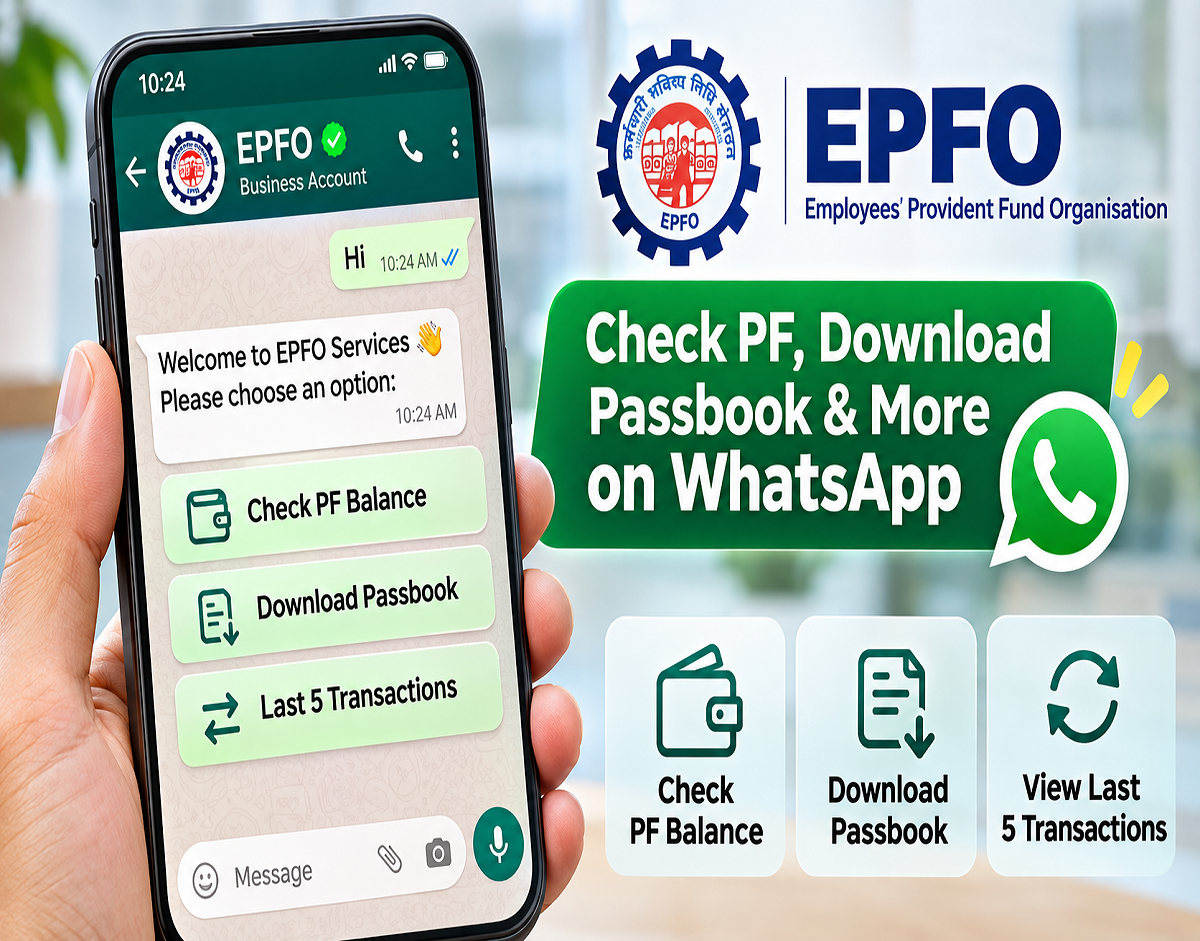
EPFO WhatsApp Service 2026: Employees Provident Fund Organisation (EPFO) members can now access important provident fund information directly through WhatsApp. The service, reportedly launched on November 1, 2026, allows subscribers to check their EPF balance, download their PF passbook and review their five most recent transactions without repeatedly visiting the EPFO website.
EPFO Introduces WhatsApp-Based PF Services for Employees
Managing provident fund accounts is becoming more convenient for salaried employees across India. EPFO has introduced a WhatsApp-based assistance facility designed to make essential account information accessible through a familiar messaging platform.
According to the November 10 report, Union Minister for Labour and Employment Mansukh Mandaviya inaugurated the facility on November 1, 2026, during EPFO's Foundation Day celebrations.
The organisation also shared information about the initiative through its official social media account on X.
The new service aims to simplify access to provident fund records, particularly for employees who prefer using smartphones rather than navigating multiple government websites.
Through the reported facility, EPFO members can request their available PF balance, obtain an electronic passbook and check recent account activity.
The service is also designed to support multiple Indian languages, helping subscribers access financial information more comfortably.
EPFO WhatsApp Number: How to Access the New Facility
The published report identifies the following number for EPFO's WhatsApp-based services:
REPORTED EPFO WHATSAPP NUMBER
+91 8796441800
Copy
Verify this number through EPFO's official website or verified social media account before sharing any personal information.
Members can reportedly begin using the facility by saving the number and sending a simple "Hi" message through WhatsApp.
An automated response should then guide them through the available services.
The report states that the facility supports English and several Indian languages, including Hindi, Marathi, Tamil, Telugu, Bengali, Gujarati and Urdu.
This multilingual approach is intended to make provident fund services more accessible to employees across different regions.
How to Check Your PF Balance on WhatsApp
Employees who want to find out how much money is available in their provident fund account can follow the reported procedure.
- Save the verified EPFO WhatsApp contact number on your smartphone.
- Open WhatsApp and start a conversation with the official account.
- Send Hi to access the automated service menu.
- Choose your preferred language from the available options.
- Select Check Balance from the displayed services.
- Complete the required identity verification using the official authentication process.
- If multiple provident fund accounts are linked to your Universal Account Number (UAN), choose the appropriate Member ID.
- Once verification is successful, the service should display the available PF balance information.
The reported service uses the mobile number registered with the member's UAN for verification.
Employees should ensure that their registered mobile number is active and that their UAN details are correctly maintained.
How to Download Your EPF Passbook Through WhatsApp
An EPF passbook provides a detailed record of contributions made to an employee's provident fund account.
It helps members review employee contributions, employer contributions, interest entries and other account-related transactions.
Under the reported WhatsApp facility, subscribers can request a digital copy of their passbook.
The process is described as follows:
- Open the verified EPFO WhatsApp conversation.
- Send Hi to display the service menu.
- Select your preferred language, if prompted.
- Choose the Download Passbook option.
- Complete the required authentication through the official verification flow.
- Select the appropriate PF Member ID if more than one account is available.
- Request the passbook document.
- Download the PDF if the service provides it in the chat.
The downloaded document can help employees maintain records of their provident fund contributions.
It may also be useful when reviewing employer deposits, preparing financial documents or checking account history.
However, members should remember that passbook entries may not always reflect the most recent contribution immediately because processing and posting can take time.
How to View Your Last Five PF Transactions on WhatsApp
Apart from balance enquiries and passbook access, the reported service also includes an option to review recent provident fund transactions.
This feature may help employees monitor account activity without downloading their entire passbook.
To access the information, members can follow these steps:
- Start a conversation with the verified EPFO WhatsApp account.
- Send Hi and open the service menu.
- Select Last 5 Transactions.
- Complete identity verification through the official process.
- Choose the relevant Member ID if multiple accounts are linked to the UAN.
- Review the five latest transactions displayed by the service.
The transaction history can help subscribers identify recently posted contributions and other account movements.
Employees should compare the information with their salary records when checking whether provident fund deductions have been deposited.
What Is a UAN and Why Is It Important?
The Universal Account Number is a unique identification number assigned to an EPFO member.
It helps consolidate provident fund records associated with different employers under one member identity.
For example, an employee who changes jobs may have multiple PF Member IDs linked to the same UAN.
This is why the WhatsApp service may ask users to select a particular Member ID before displaying account information.
Choosing the correct account is important because balances and transaction records can differ between Member IDs.
Members who have not activated their UAN or whose registered mobile number is outdated may need to resolve those issues before accessing certain digital services.
Important Safety Tips for EPFO WhatsApp Users
Provident fund accounts contain sensitive financial and personal information. Employees should exercise caution when using any messaging-based financial service.
- Confirm that the WhatsApp contact is officially authorised by EPFO before starting the process.
- Never disclose your UAN password, banking PIN or other confidential login credentials.
- Do not share OTPs with callers, agents or individuals claiming to provide EPFO assistance. Enter verification codes only through an independently verified official process.
- Avoid suspicious links promising instant PF withdrawals or unusually high returns.
- Never install screen-sharing applications at the request of unknown individuals offering PF assistance.
- Use the official EPFO website if a WhatsApp interaction appears suspicious.
EPFO members can visit EPFO's official website to access authenticated information and existing online services.
What Are the Benefits of EPFO's WhatsApp Service?
The proposed convenience of WhatsApp-based access is particularly relevant for employees who frequently check their provident fund contributions.
Instead of navigating several web pages, members may be able to obtain commonly requested information through an automated conversation.
The service could also help employees in smaller towns and rural areas who are more familiar with messaging applications than government portals.
Language support is another important feature, allowing users to interact with the service in a language they understand.
For employees managing multiple provident fund accounts, access to account-specific records may also make it easier to monitor contributions.
However, WhatsApp access should be considered an additional service rather than a complete replacement for EPFO's official website, member portal or UMANG application.
What Should Employees Do Now?
EPFO members interested in using the facility should first verify the reported WhatsApp number through an official EPFO communication.
They should also ensure that their UAN is active and that their registered mobile number is up to date.
Once the contact and service are authenticated, members can follow the available menu options to request their balance, passbook or transaction information.
The bottom line: EPFO's reported WhatsApp facility aims to make provident fund information easier to access. Employees may be able to check their PF balance, obtain a passbook and review their latest five transactions directly from their smartphones, subject to successful verification and service availability.
Disclaimer: This article is based on the supplied November 10, 2026 news report. The WhatsApp number, launch details and exact service workflow have not been independently verified against a current official EPFO notification. Members should confirm these details before using the service or entering authentication information.