Technology
WhatsApp Tips 2026: How to Message Anyone Without Saving Their Phone Number on Android, iPhone or PC
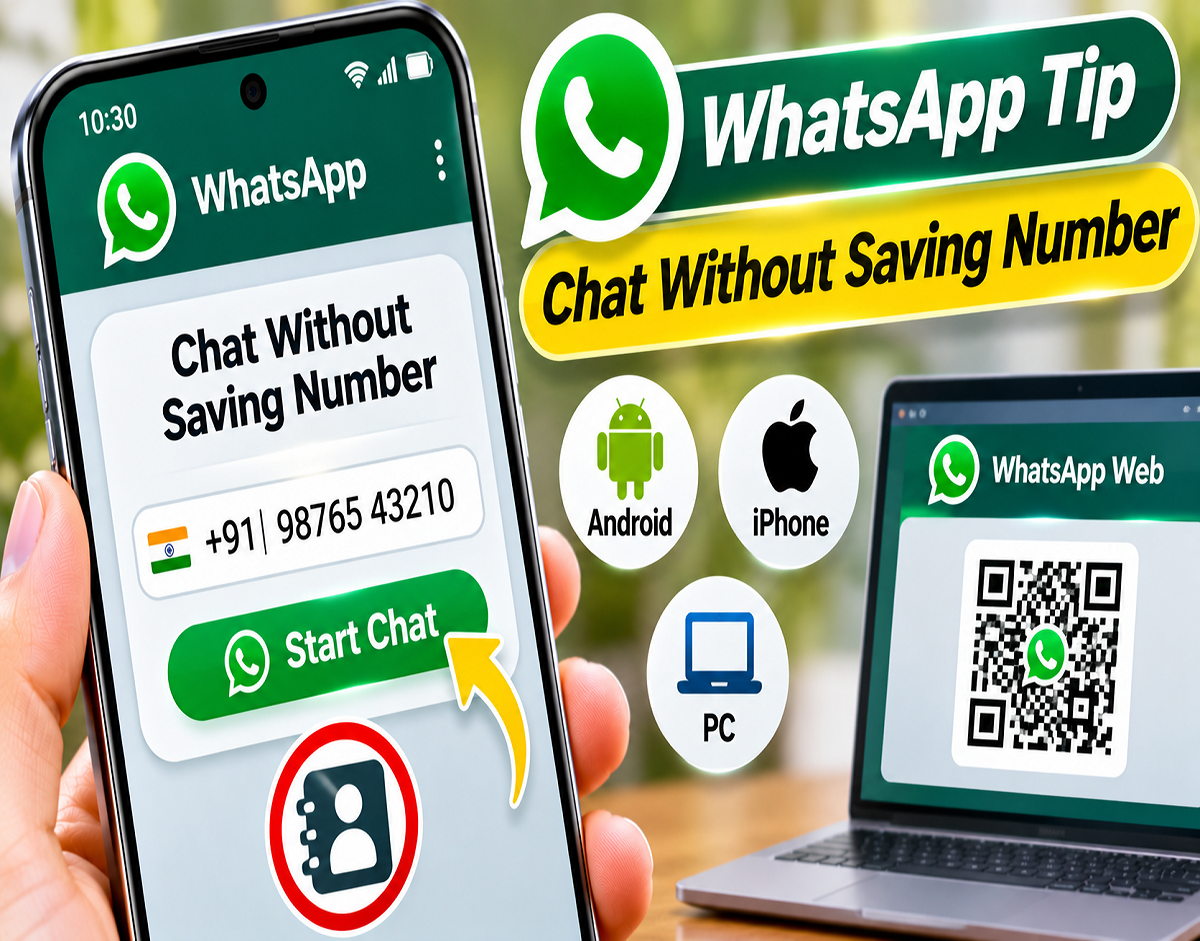
WhatsApp Tips and Tricks 2026: Want to send a WhatsApp message to someone without saving their mobile number? Whether you need to contact a delivery executive, local shopkeeper, property agent or customer, WhatsApp offers a simple way to start a conversation without adding unnecessary contacts to your phonebook.
The messaging platform's Click to Chat feature allows users to open a WhatsApp conversation directly through a specially formatted web link. All you need is the recipient's phone number, including the international country code.
The feature works on Android smartphones, iPhones and compatible desktop browsers. Users can also create links with pre-written messages, making the service particularly convenient for businesses and people who frequently contact new numbers.
Here is how to use WhatsApp Click to Chat, create personalized messaging links and avoid common mistakes.
What Is WhatsApp Click to Chat?
Click to Chat is an official WhatsApp feature that enables users to start conversations without first saving the recipient's phone number in their contact list.
Usually, when someone wants to message a new person, they save the number, open WhatsApp and search for the contact.
However, this process is unnecessary when communication is required only once.
WhatsApp simplifies the process through a direct chat link containing the recipient's international phone number.
When the link is opened, WhatsApp provides an option to begin a conversation with that number.
The only essential requirement is that the recipient must have an active WhatsApp account.
How to Send WhatsApp Messages Without Saving a Number
Users can initiate a conversation through their smartphone's browser by following these steps.
Step 1: Open Google Chrome, Safari or another web browser on your smartphone.
Step 2: Enter the following link format in the address bar:
https://wa.me/91XXXXXXXXXX
Here, 91 is India's country code, while XXXXXXXXXX represents the recipient's 10-digit mobile number.
Step 3: Replace the placeholder digits with the actual phone number.
Step 4: Open the link and select the option to continue to WhatsApp.
Step 5: Once the conversation opens, type your message and tap Send.
The recipient's number does not need to be saved in your phone's address book.
WhatsApp Click to Chat Link: Use the Correct Number Format
One of the most important things to remember is that WhatsApp requires phone numbers in international format.
The country code must be included, but additional characters such as plus signs, brackets, spaces and hyphens should be avoided.
For example:
Correct link format:
https://wa.me/919876543210
Incorrect link format:
https://wa.me/+91-98765-43210
The phone number used in these examples is illustrative.
If you are messaging someone outside India, replace 91 with the appropriate international country code.
Also, ensure that the recipient's number is registered on WhatsApp. Otherwise, the platform will not be able to open a normal chat with that person.
How to Create a WhatsApp Link With a Pre-Filled Message
WhatsApp's Click to Chat functionality also allows users to prepare messages in advance.
This can be particularly helpful for businesses, customer inquiries and frequently repeated conversations.
For example, suppose you want to ask a shopkeeper about a product.
Instead of typing the same question each time, you can create a link containing the message.
Use the following format:
https://wa.me/919876543210?text=Hello%20I%20need%20details
In this link, the message appears after ?text=.
The characters %20 represent spaces between words.
When someone opens the link, WhatsApp displays the prepared message in the chat's text field.
However, the message is not sent automatically. The user must press the Send button.
This provides an opportunity to review or modify the message before sending it.
How to Share a WhatsApp Message Without Specifying a Recipient
WhatsApp also supports prepared message links that do not include a particular phone number.
For example:
https://wa.me/?text=Happy%20Diwali
Opening this link may allow users to select a WhatsApp contact or group with whom they want to share the prepared message.
This option can be useful for festival greetings, birthday wishes, event invitations and announcements.
Unlike a direct chat link, this format does not automatically select a particular recipient.
The user chooses the contact and confirms the message.
Can You Use Click to Chat on WhatsApp Web?
Yes. The Click to Chat feature can also be used on a laptop or desktop computer.
Users can open a correctly formatted wa.me link in their web browser.
Depending on their device configuration, the link may direct them to WhatsApp Web or an installed WhatsApp application.
For people who spend considerable time working on computers, this can make communication more convenient.
For example, a sales professional may need to contact multiple prospective customers during the day.
Instead of saving each phone number, they can use Click to Chat links to initiate conversations.
Similarly, customer support teams and small-business owners may find the feature useful for handling temporary inquiries.
How Businesses Can Use WhatsApp Click to Chat
The feature offers several practical advantages for businesses that communicate with customers through WhatsApp.
A retailer, for example, can add a direct WhatsApp link to a product page.
When customers click the link, they can begin a conversation with the business without saving its number.
Businesses can also include pre-filled messages such as product inquiries, appointment requests or booking questions.
This reduces the number of steps customers must complete before contacting a company.
The feature may be particularly useful for online stores, hotels, property agencies and service providers.
What Is the Official Chat on WhatsApp Button?
WhatsApp also provides businesses with an official Chat on WhatsApp button that can be integrated into websites and applications.
The button directs customers to a WhatsApp conversation when clicked.
According to the report, the official button is available in green and white designs, with multiple size options.
Businesses should follow WhatsApp's branding guidelines when adding the button to their websites.
It can be placed on contact pages, product pages or landing pages to make customer communication more accessible.
WhatsApp Click to Chat: Features and Benefits
| Feature | Benefit |
|---|---|
| Message Without Saving Numbers | Avoid adding temporary contacts to your phonebook |
| Direct Chat Links | Open conversations through a web link |
| Pre-Filled Messages | Prepare messages before sending |
| Android Compatibility | Use Click to Chat through supported mobile browsers |
| iPhone Compatibility | Start conversations through Safari or other browsers |
| WhatsApp Web Support | Initiate chats from laptops and desktop computers |
| Business Integration | Add direct WhatsApp contact links to websites |
| Shareable Message Links | Prepare messages without selecting recipients in advance |
Is WhatsApp Click to Chat Safe?
Click to Chat is an official WhatsApp feature, but users should still follow basic online safety practices.
Before opening a conversation, verify that the phone number belongs to the intended recipient.
Avoid sending sensitive information such as OTPs, banking passwords, UPI PINs or account verification codes to unfamiliar people.
Users should also remember that not saving someone's number does not make their own phone number invisible.
When you initiate a normal WhatsApp conversation, the recipient may be able to see your mobile number.
Additionally, avoid suspicious websites claiming to offer special WhatsApp messaging tools.
Use official WhatsApp links and trusted browsers whenever possible.
When Is WhatsApp Click to Chat Most Useful?
The feature is particularly convenient for short-term communication.
For example, someone expecting a package may need to contact a delivery agent for directions.
A customer may want to ask a local store whether a particular product is available.
Similarly, people searching for rental properties may contact several agents without wanting to save every phone number.
Businesses can also use direct links to simplify customer inquiries and reduce unnecessary steps in the communication process.
For regular WhatsApp users, avoiding unnecessary saved contacts can help keep the phonebook more organized.
Does Click to Chat Work With Numbers That Are Not Registered on WhatsApp?
No. Click to Chat requires the recipient's number to be associated with an active WhatsApp account.
If the number is not registered, the platform cannot initiate a standard WhatsApp conversation.
Users must also enter the correct international country code and mobile number.
An incorrect number could prevent the link from working or open a conversation with an unintended recipient.
Final Takeaway
WhatsApp's Click to Chat feature provides a convenient way to communicate without saving every new phone number.
By entering the recipient's international phone number after https://wa.me/, users can open a conversation directly on WhatsApp.
The feature also supports pre-filled messages and works across Android, iPhone and compatible desktop browsers.
Whether you need to contact a shopkeeper, delivery agent, customer or business, Click to Chat can save time and help keep your contact list organized.