Technology
WhatsApp Security Tips 2026: Enable These 7 Privacy Features to Protect Your Account From Scammers
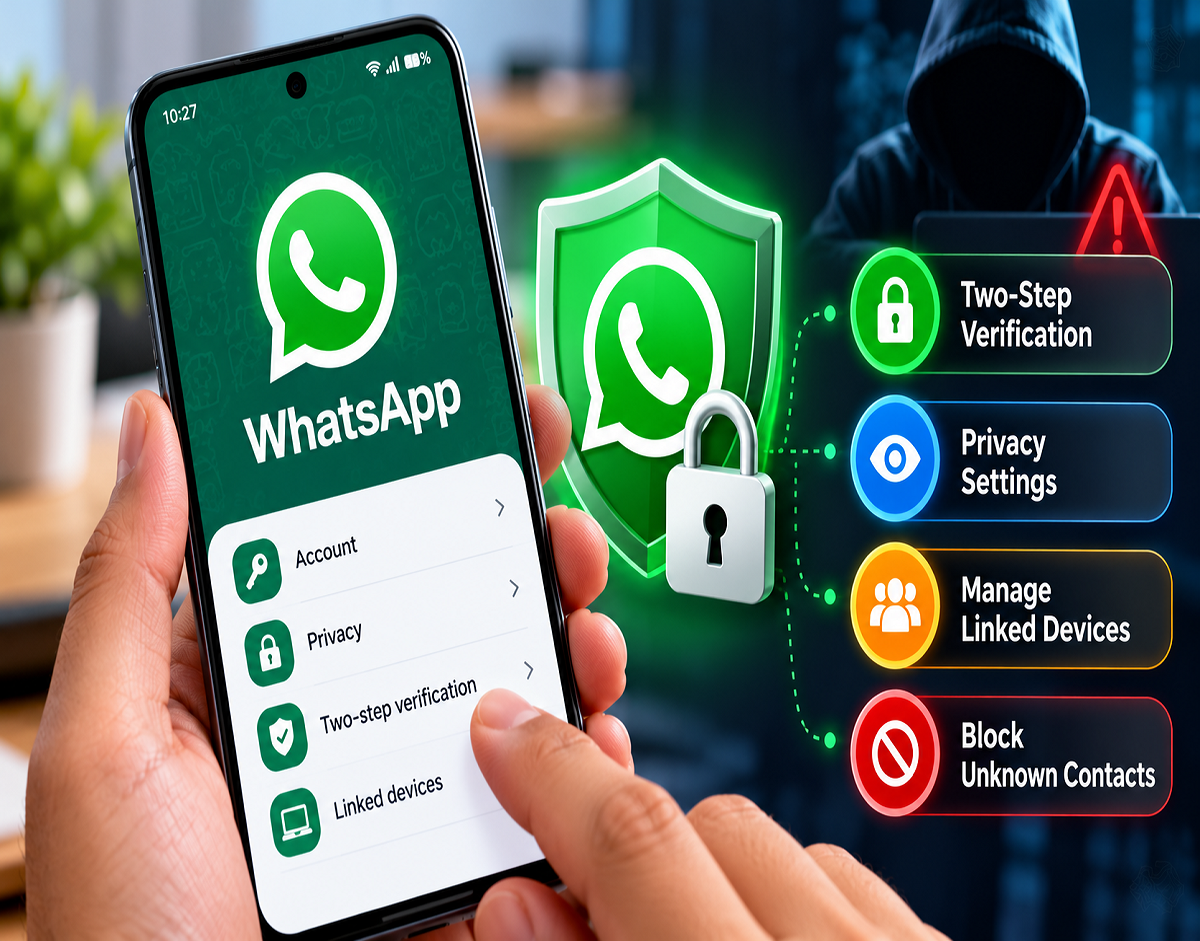
WhatsApp Safety Features 2026: WhatsApp has become an essential communication platform for millions of people in India. From personal conversations and video calls to business discussions and document sharing, users rely on the messaging application for everyday activities. However, cybercriminals also exploit the platform through fraudulent calls, suspicious links, account takeover attempts and impersonation scams.
One increasingly concerning fraud technique involves criminals pretending to be police officers or government officials and threatening victims with a so-called digital arrest. Scammers may pressure people to transfer money, disclose sensitive information or provide access to their accounts.
To reduce these risks, WhatsApp offers several built-in privacy and security tools that users can configure through the application.
Seven important protections include silencing unknown callers, checking caller information, enabling two-step verification, blocking suspicious contacts, reviewing linked devices, protecting IP addresses during calls and restricting group invitations.
While these features cannot prevent every cyberattack, they can make it more difficult for scammers to contact users, compromise accounts or misuse personal information.
WhatsApp Security Features 2026: Quick Overview
| Security Feature | Main Benefit |
|---|---|
| Silence Unknown Callers | Reduces interruptions from unfamiliar numbers |
| Unknown Caller Information | Provides additional context about certain callers |
| Two-Step Verification | Adds protection against unauthorised account registration |
| Block and Report | Helps stop and flag suspicious contacts |
| Linked Devices | Helps detect unfamiliar connected sessions |
| Protect IP Address in Calls | Limits IP-address exposure during calls |
| Group Privacy Controls | Restricts who can add you directly to groups |
1. Silence Unknown Callers to Reduce Spam and Fraud Calls
Unwanted calls from unfamiliar numbers can be more than a nuisance. Some callers attempt to impersonate bank representatives, government employees or law enforcement officers to obtain money or personal information.
WhatsApp's Silence Unknown Callers feature automatically silences incoming calls from numbers that are not recognised.
The calls do not ring normally, but they remain visible in the Calls tab, allowing users to review them later.
How to Enable Silence Unknown Callers
- Open WhatsApp.
- Go to Settings.
- Select Privacy.
- Tap Calls.
- Enable Silence Unknown Callers.
This setting is particularly useful for people who receive frequent calls from unfamiliar numbers.
However, legitimate calls from new contacts may also be silenced, so users should periodically check their call history.
2. Check Unknown Caller Information Before Answering
WhatsApp may display additional details about certain unfamiliar callers, helping users assess whether a call deserves attention.
Depending on the app version and available information, the interface may show the country associated with the phone number or whether the caller shares a WhatsApp group with the recipient.
Such information can provide context, but it should not be treated as proof that the caller is trustworthy.
For example, a scammer may use a number that appears to be registered in India or may already belong to a group containing the intended victim.
Users should remain cautious when someone unexpectedly demands money, requests OTPs or claims that immediate payment is necessary to avoid arrest.
No genuine law enforcement authority conducts a legal arrest through a WhatsApp video call or demands money to cancel a supposed digital arrest.
If a caller makes such threats, end the conversation and independently verify any claims through official channels.
3. Enable Two-Step Verification for Stronger Account Security
Two-step verification is one of the most important protections available for WhatsApp accounts.
It adds an additional verification requirement when someone attempts to register the account using the associated phone number.
This helps reduce the risk of account takeover even if a criminal obtains the SMS registration code.
How to Turn On WhatsApp Two-Step Verification
- Open WhatsApp Settings.
- Select Account.
- Tap Two-step verification.
- Choose the option to enable it.
- Follow the instructions to configure the available security credential.
- Add a recovery email address if prompted.
Traditionally, WhatsApp's two-step verification has used a six-digit PIN. Security options may differ across app versions as new authentication features are introduced.
Users should follow the options available in their official application rather than assuming that every device supports the same password format.
Never share a WhatsApp verification code or security PIN with another person.
4. Block and Report Suspicious Numbers Immediately
Scammers frequently send messages containing fake job offers, investment opportunities, lottery claims or links to fraudulent websites.
Some may impersonate friends or relatives and request urgent financial assistance.
WhatsApp allows users to block unwanted contacts and report suspicious accounts.
How to Block or Report a Contact
Open the suspicious conversation and tap the contact's name or phone number.
Scroll to the available Block or Report options and select the appropriate action.
Blocking prevents that account from directly messaging or calling you through WhatsApp. Reporting also provides information to WhatsApp for review under its platform policies.
If you have already transferred money to a scammer, blocking the contact alone is not sufficient.
In India, victims of cyber-enabled financial fraud should promptly contact the national cybercrime helpline at 1930 or file a complaint through the National Cyber Crime Reporting Portal.
Quick reporting may improve the chances of action being taken against fraudulent transactions, although recovery is not guaranteed.
5. Check Linked Devices to Prevent Unauthorised Access
WhatsApp allows users to access their accounts on computers, tablets and other supported devices.
While convenient, this feature can also be exploited by criminals.
For example, a scammer may persuade someone to scan a QR code or enter a device-linking code, claiming it is necessary for verification or customer support.
The action could instead connect an unfamiliar device to the victim's WhatsApp account.
How to Review Connected Devices
Open WhatsApp and select Linked Devices from the appropriate menu or settings screen.
Review the devices listed under your account.
If you notice an unfamiliar computer, browser or device, select it and use the Log out option.
Users should regularly check this section and avoid scanning QR codes or sharing linking codes at the request of unknown individuals.
A legitimate customer support representative should not need to link an unknown device to your personal WhatsApp account.
6. Protect Your IP Address During WhatsApp Calls
WhatsApp provides an additional privacy setting called Protect IP Address in Calls.
Normally, certain internet calling arrangements can expose participants' IP addresses to one another.
An IP address may reveal approximate network or geographical information, although it does not ordinarily disclose an exact residential address.
When the protection feature is enabled, WhatsApp routes calls through its servers to help prevent the other participant from seeing your IP address.
How to Enable IP Address Protection
Go to WhatsApp Settings and select Privacy.
Open Advanced and enable Protect IP Address in Calls.
The feature adds a layer of privacy for users who communicate with unfamiliar people.
However, routing calls through WhatsApp's servers may affect call quality in some circumstances.
WhatsApp calls remain end-to-end encrypted when this feature is used.
7. Stop Unknown People From Adding You to WhatsApp Groups
Fraudulent WhatsApp groups are sometimes used to circulate fake investment recommendations, misleading offers and suspicious links.
Users may find themselves added to unfamiliar groups without having requested membership.
WhatsApp's group privacy settings allow users to control who can add them directly.
How to Change WhatsApp Group Privacy Settings
- Open WhatsApp Settings.
- Select Privacy.
- Tap Groups.
- Choose My Contacts or My Contacts Except, depending on your preference.
Selecting My Contacts generally allows people saved in your phone contacts to add you directly to groups.
Users who are not permitted to add you directly may still be able to send a group invitation, which you can choose to accept or ignore.
This setting can reduce unwanted group additions but does not guarantee that every group invitation will be legitimate.
Additional WhatsApp Safety Tips Everyone Should Follow
Besides enabling the seven security features, users should adopt safe messaging habits.
Never share OTPs or verification codes. Scammers may use them to register your account on another device.
Avoid suspicious links. Fake websites can steal credentials or trick users into installing harmful applications.
Enable a phone screen lock and WhatsApp app lock. These provide additional protection if someone gains physical access to your device.
Keep WhatsApp updated. Install updates from official app stores to receive security fixes and supported protection features.
Verify unexpected financial requests. Contact the person through a trusted number before sending money, even if the message appears to come from someone you know.
What Should You Do if Your WhatsApp Account Is Compromised?
If you suspect that another person has gained access to your account, take immediate action.
Attempt to register your phone number again through the official WhatsApp application and complete the required verification process.
Check Linked Devices and disconnect any unfamiliar sessions when access is restored.
If an unknown two-step verification credential prevents immediate recovery, follow WhatsApp's official account-recovery instructions.
You should also notify close contacts if scammers may be sending fraudulent messages from your account.
For financial losses or attempted extortion, preserve relevant evidence and report the incident to the appropriate cybercrime authorities.
Final Takeaway
WhatsApp provides several useful tools to help users strengthen account security and reduce exposure to scams.
Silencing unknown callers can limit unwanted contact, while two-step verification and linked-device monitoring help protect against account takeover.
IP-address protection and group privacy settings provide additional control over personal information and interactions.
The most effective approach combines these built-in security settings with careful behaviour, especially when dealing with unexpected calls, suspicious links and urgent requests for money.
Users should review their WhatsApp privacy settings regularly and report suspected fraud through official channels.
Disclaimer: WhatsApp features and menu locations may vary depending on device, operating system and application version. Security tools reduce risks but cannot guarantee complete protection against cybercrime.