Technology
WhatsApp Message Scheduling: Send Birthday Wishes, Work Updates and Reminders Automatically at Your Preferred Time
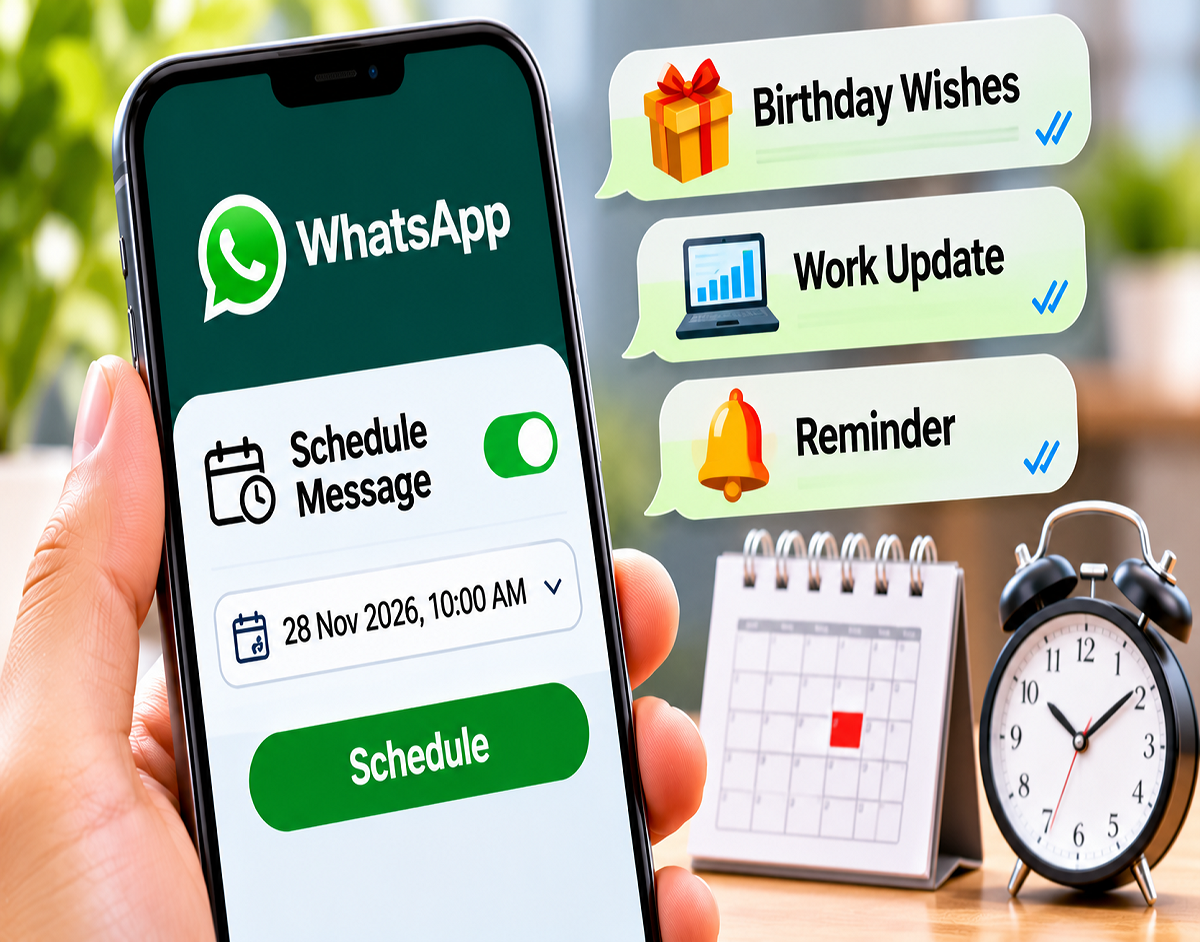
WhatsApp Scheduled Messages Feature: WhatsApp is reportedly introducing a new message scheduling facility that will allow users to prepare messages in advance and select a specific date and time for their automatic delivery. The feature could make personal communication, professional conversations and group messaging considerably more convenient.
Whether you want to send birthday wishes at midnight, remind colleagues about an important meeting or communicate with someone living in a different time zone, message scheduling could eliminate the need to manually send messages at a particular time.
The upcoming functionality could also reduce dependence on third-party message scheduling applications, making the process more convenient and potentially more secure.
What Is WhatsApp's Message Scheduling Feature?
The message scheduling feature is designed to allow users to compose a message, select a preferred delivery time and arrange for WhatsApp to send it automatically.
Instead of setting separate reminders or waiting until the appropriate time, users could prepare their messages whenever convenient.
The feature could be particularly beneficial for professionals, business owners, students and individuals who regularly communicate with friends and family members across different locations.
WhatsApp Rolls Out Scheduled Messages for Android and iPhone
WhatsApp announced the global rollout of its scheduled messaging feature on November 25, 2026. Following earlier beta testing, the company is gradually making the functionality available to Android and iPhone users over the coming weeks.
The new feature supports personal conversations and group chats, giving users greater control over when they communicate.
WhatsApp Scheduled Messages: Key Features
| Particulars | Details |
|---|---|
| Feature name | Scheduled Messages |
| Supported devices | Android and iPhone |
| Minimum scheduling period | 10 minutes |
| Maximum scheduling period | 14 days |
| Individual chat support | Available |
| Group chat support | Available |
| Supported content | Text, photos, videos and links |
| Automatic delivery | Available |
| Message cancellation | Before scheduled delivery |
| Security | End-to-end encryption |
| Availability | Gradual global rollout |
How to Schedule WhatsApp Messages on Android and iPhone
Once the feature becomes available on your smartphone, follow these simple steps:
- Update WhatsApp through the Google Play Store or Apple App Store.
- Launch the application and open the desired personal or group conversation.
- Compose your message or select supported media content.
- Press and hold the Send button instead of tapping it normally.
- Choose your preferred date and time from the scheduling interface.
- Review the selected delivery schedule.
- Confirm your selection to schedule the message.
WhatsApp will automatically send the message according to the selected schedule.
How Far in Advance Can You Schedule WhatsApp Messages?
Users can arrange message delivery from 10 minutes to a maximum of 14 days in advance.
For example, if a family member's birthday is approaching next week, you can prepare your greeting today and schedule it for midnight on their birthday.
Similarly, office employees can prepare Monday morning reminders during the weekend without disturbing colleagues outside working hours.
However, messages intended for events scheduled more than two weeks away will need to be prepared closer to the required date.
How to View and Delete Scheduled WhatsApp Messages
WhatsApp also provides a dedicated area for managing messages awaiting delivery.
Depending on the application interface, users may find the scheduled messages section through their profile or conversation information screen.
Open the relevant section, locate the pending message and select the deletion option if you no longer want it to be delivered.
Users can cancel scheduled messages before their selected delivery time. However, direct editing or rescheduling of existing messages has not been clearly confirmed. If necessary, users can cancel the original message and create a new schedule.
Will Scheduled Messages Be Sent If Your Phone Is Switched Off?
One of the most useful aspects of the update is that scheduled delivery does not depend on the sender's smartphone remaining switched on.
Once a message has been successfully scheduled, WhatsApp can initiate delivery even if the sender's device runs out of battery or loses internet connectivity.
Actual receipt may still depend on the recipient's connectivity and account status.
The company has also confirmed that scheduled personal messages retain end-to-end encryption protection.
Important Rule for Scheduled Messages in WhatsApp Groups
Users planning to schedule announcements in group conversations should understand an important restriction.
According to WABetaInfo, scheduled group messages are intended for eligible members who were already part of the conversation when the message was scheduled.
Individuals joining the group afterwards will not receive that previously scheduled message.
Group administrators should therefore review their communication requirements before scheduling important announcements.
Five Practical Ways to Use WhatsApp Message Scheduling
| Purpose | Potential Benefit |
|---|---|
| Birthday and anniversary greetings | Send wishes without staying awake until midnight |
| Office communications | Deliver professional updates during working hours |
| Group reminders | Remind members about upcoming meetings and events |
| International communication | Send messages at convenient local times |
| Personal commitments | Prepare reminders for appointments and important tasks |
Can Recipients Identify Scheduled WhatsApp Messages?
Scheduled messages appear like ordinary WhatsApp communications when delivered.
Recipients are not shown a special scheduling label, meaning they will generally be unable to distinguish between a message sent manually and one prepared earlier.
Why Is WhatsApp Message Scheduling Not Showing on Your Phone?
Since WhatsApp is introducing the functionality gradually, some users may not immediately receive access despite installing the latest application version.
Users should regularly check for official application updates and avoid installing unofficial WhatsApp versions or third-party scheduling applications that request unnecessary access to personal conversations.
The introduction of native message scheduling represents a significant improvement in WhatsApp's communication capabilities, offering users greater flexibility while maintaining the convenience and privacy of personal messaging.