GTA 6 Weapon Management Guide: Grand Theft Auto VI is expected to introduce a more immersive approach to combat and inventory management, giving players greater control over the weapons they carry and use while exploring its open world.
The upcoming weapon management system reportedly combines a dedicated weapon wheel with additional storage options and improved equipment handling mechanics.
Unlike traditional inventory systems, the proposed features could encourage players to plan their equipment before starting missions, entering dangerous locations or exploring different areas of the game.
How to Switch Weapons in GTA 6 on PS5 and Xbox
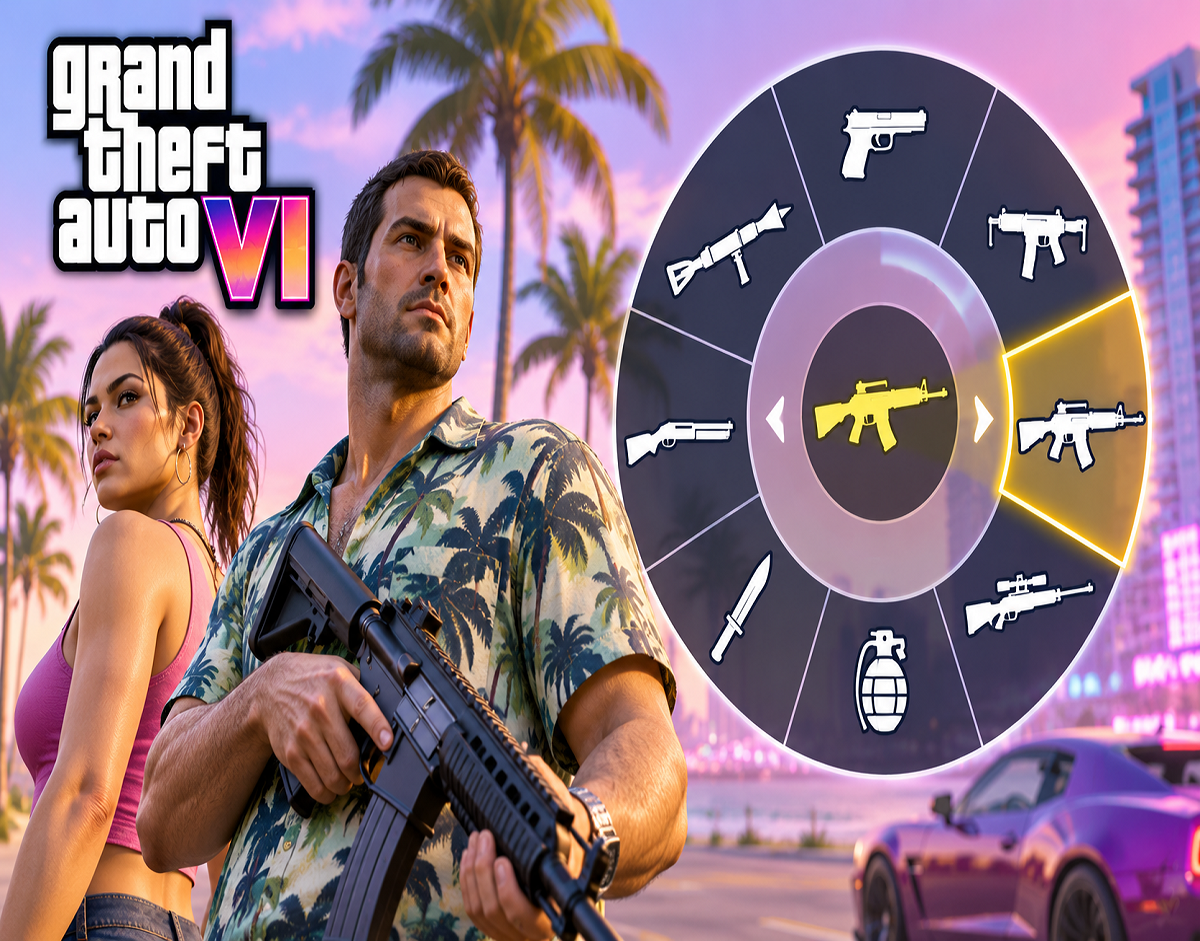
Players can select their preferred in-game weapons using the weapon wheel. The circular interface displays equipment currently available in the character's active loadout.
PlayStation 5 players can access the menu by holding the L1 button, while Xbox Series X and Series S users can press and hold LB.
Once the menu appears, players can highlight their preferred weapon using the right analogue stick and release the shoulder button to complete the selection.
Players can also navigate between the Weapons and Items sections using their controller.
GTA 6 Weapon Controls for PlayStation and Xbox
| Action | PlayStation 5 | Xbox Series X/S |
|---|---|---|
| Access weapon wheel | Hold L1 | Hold LB |
| Highlight a weapon | Right analogue stick | Right analogue stick |
| Equip selected weapon | Release L1 | Release LB |
| Toggle Weapons and Items tabs | R1 | RB |
| Quickly draw or holster | Tap L1 | Tap LB |
| Access vehicle trunk | Triangle | Y |
| Equip items in loadout menu | X | A |
| Store longarms at trunk | Square | X |
Understanding the GTA 6 Weapon Carrying Limit
One of the significant changes in GTA 6 is the restriction on how many weapons a character can carry simultaneously.
Unlike previous editions of the Grand Theft Auto franchise, players cannot necessarily access their entire collection while moving around the game world.
The active inventory reportedly includes dedicated slots for two sidearms, two longarms, melee equipment and other accessories. Additional weapons can be accessed through designated storage locations.
This inventory system makes equipment selection an increasingly important part of mission preparation.
How to Change Your GTA 6 Loadout Using a Vehicle Trunk
Personal vehicles play an important role in managing equipment in GTA 6. Players can use their registered vehicles to access additional inventory options and customise their active loadout.
To modify your character's inventory, approach the rear of your personal vehicle and open its trunk using Triangle on PlayStation or Y on Xbox.
Access the loadout interface, highlight the equipment slot you want to modify and browse the available inventory. Select the desired equipment and exit the menu after confirming your selection.
Players should follow the contextual button prompts displayed on their screens when changing equipment.
Personal vehicle trunks provide a convenient way to reorganise inventory without repeatedly visiting in-game stores.
How to Access Weapon Lockers at Ammu-Nation
Another option for managing equipment is to visit an Ammu-Nation store within the fictional game world.
These locations feature dedicated weapon lockers where players can review their collection, retrieve previously acquired equipment and customise their active inventory.
Look for the weapon management interaction when approaching a locker. The available interface allows players to organise their owned weapons and transfer eligible equipment into storage.
This functionality also helps players distinguish between permanently owned weapons and equipment temporarily acquired during gameplay.
GTA 6: Difference Between Holstering and Storing Weapons
GTA 6 introduces a distinction between putting away a currently equipped weapon and removing it from the character's active inventory.
| Feature | Holstering | Storing |
|---|---|---|
| Primary function | Put away the selected weapon | Remove equipment from active loadout |
| Weapon remains in active inventory | Yes | No |
| Requires access to storage | No | Generally yes |
| Quick access afterwards | Available | Requires retrieval |
| Main purpose | Change character's equipped state | Reorganise carried inventory |
Players can quickly holster their selected weapon by tapping L1 on PlayStation or LB on Xbox.
Larger weapons can be removed from the active inventory through the vehicle's storage interface by selecting the appropriate storage option.
Can Jason and Lucia Share Weapons in GTA 6?
According to published gameplay guides, permanently owned weapons are accessible through a shared collection that can be managed using personal vehicle trunks and designated weapon lockers.
However, temporarily acquired weapons and certain other stored items may remain associated with a particular vehicle.
Players should therefore distinguish between permanently owned equipment and temporary inventory before switching vehicles or changing characters.
Common GTA 6 Weapon Management Mistakes to Avoid
Players unfamiliar with the revised inventory system may encounter difficulties when accessing their equipment.
Some common mistakes include assuming every purchased weapon will automatically appear in the weapon wheel, confusing the quick holster button with the inventory selection menu and overlooking the distinction between personal and unowned vehicles.
Understanding the storage interface and regularly reviewing the active loadout can make the gameplay experience smoother.
GTA 6 Weapon Management: Frequently Asked Questions
Can players carry unlimited weapons in GTA 6?
No. GTA 6 introduces a restricted active loadout, with additional equipment accessible through storage facilities.
How do you open the weapon wheel on PS5?
Press and hold the L1 button on your controller.
How do you access the weapon wheel on Xbox?
Press and hold the LB button.
Can players change weapons at Ammu-Nation?
Yes. Designated weapon lockers allow players to manage their owned equipment and modify their loadout.
Can players access every owned weapon directly from the weapon wheel?
No. The weapon wheel primarily displays equipment included in the currently active loadout.
The redesigned inventory system in GTA 6 adds another layer of depth to Rockstar Games' open-world experience. Understanding the difference between weapon selection, inventory management and storage can help players become more comfortable with the game's updated mechanics.
Note: This guide concerns fictional video game mechanics. Controller inputs and gameplay features are based on published gaming guides rather than independent gameplay testing and may change following software updates.