HDMI has been the standard connection for televisions, monitors, gaming consoles and home-entertainment equipment for many years. A newer interface known as GPMI is now attracting attention because it promises to combine high-resolution video, audio, data, networking, device control and power delivery through one cable.
GPMI, short for General Purpose Media Interface, was developed through a Chinese industry group involving more than 50 companies, including major display and technology manufacturers. Its specifications appear impressive, particularly the maximum bandwidth and power available through its higher-end connector.
However, more bandwidth does not automatically produce a better picture. Actual image quality depends on the source, display, resolution, refresh rate, colour depth, compression and whether every device in the connection supports the required standard.
What is GPMI?
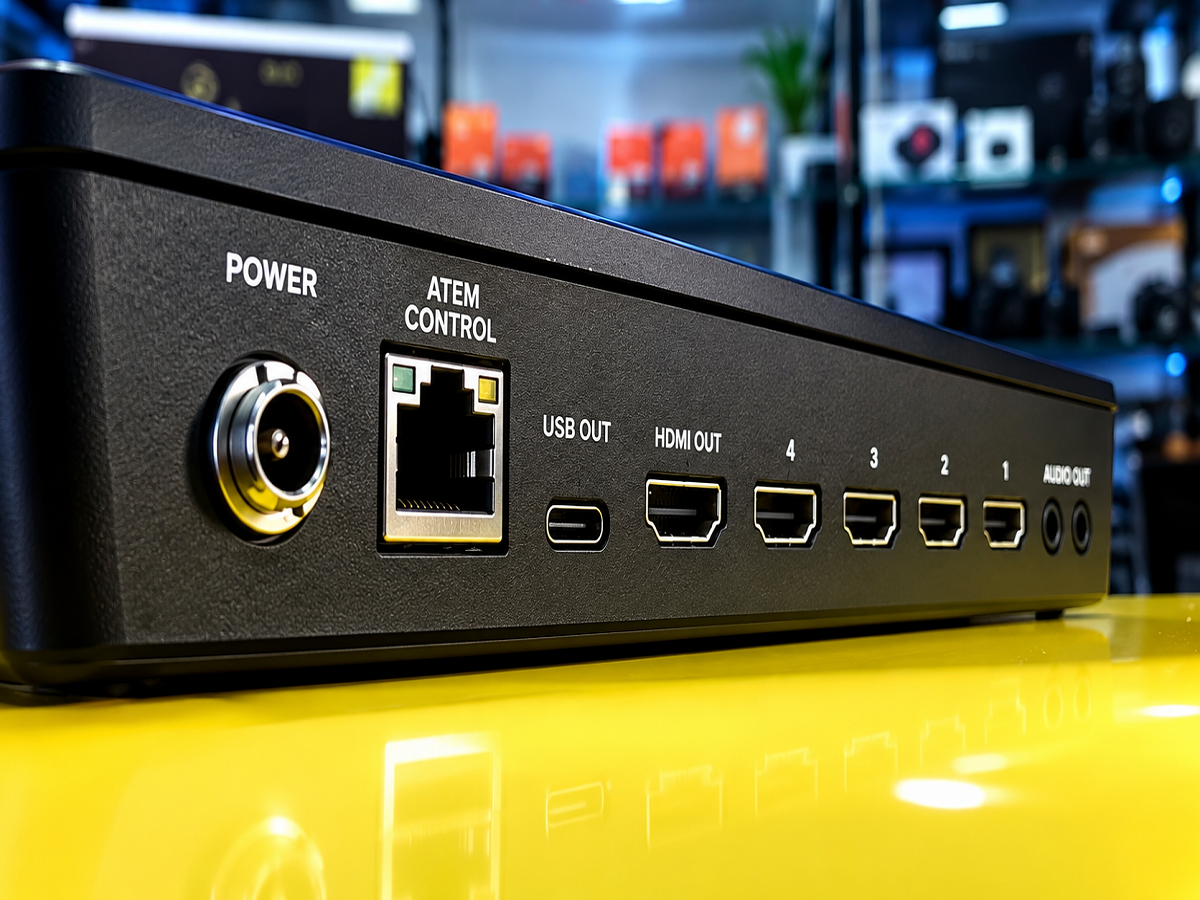
GPMI is a multimedia interface designed to carry several types of signals through a single connection. Instead of using separate cables for display output, network access, device control and power, compatible equipment could handle these functions through one GPMI cable.
The technology supports bidirectional communication and multiple data streams. It is intended for equipment such as televisions, monitors, computers, set-top boxes, video walls, conference-room systems, digital-signage installations and other high-bandwidth applications.
Huawei’s HiSilicon describes GPMI as an ultra-high-definition interface combining video, data exchange, networking, power and control functions. HiSilicon’s GPMI technical overview
GPMI comes in two versions
GPMI has two physical formats: Type-C and Type-B. Their headline specifications differ substantially.
| Feature | GPMI Type-C | GPMI Type-B | HDMI 2.2 |
|---|---|---|---|
| Maximum bandwidth | 96Gbps | 192Gbps | 96Gbps |
| Maximum power delivery | Up to 240W | Up to 480W | Not designed for high-power device charging |
| Connector | USB-C form factor | Dedicated GPMI connector | Standard HDMI connector |
| Audio and video | Yes | Yes | Yes |
| Data and networking | Yes | Yes | Limited compared with GPMI’s all-in-one design |
| Device control | Yes | Yes | Yes, through supported HDMI features |
| Market availability | Limited/emerging | Limited/emerging | Widely established |
GPMI Type-C uses the familiar USB-C connector format and supports up to 96Gbps bandwidth and 240W power delivery. Type-B uses a dedicated connector and doubles the theoretical bandwidth to 192Gbps while supporting power delivery of up to 480W.
The fact that Type-C uses a USB-C-shaped connector does not mean every USB-C port will automatically support GPMI. Both connected devices and the cable must support the necessary protocol and capabilities.
Similarly, the advertised power figures are maximum technical limits. A connected device will not necessarily receive 240W or 480W unless the cable, source, receiving hardware and power-management system are all designed for that level.
How powerful is HDMI 2.2?
HDMI 2.2 raises maximum bandwidth to 96Gbps, doubling the 48Gbps capacity associated with HDMI 2.1. The specification introduces the Ultra96 HDMI Cable for features requiring the full data rate.
It can support demanding video formats, including resolutions and refresh rates reaching 4K at 480Hz, 8K at 240Hz, 12K at 120Hz and 16K at 60Hz under supported configurations. Some of the most demanding formats may rely on compression or particular colour settings.
HDMI 2.2 also introduces the Latency Indication Protocol, designed to improve audio-video synchronisation in systems involving televisions, receivers and soundbars. The standard remains backward-compatible, although an Ultra96-certified cable is required to access its full bandwidth. HDMI Forum
Which one offers better picture quality?
Neither interface automatically delivers a better-looking image simply because of its name or maximum bandwidth.
If GPMI and HDMI carry the same resolution, refresh rate, colour depth, chroma format and HDR data without unwanted compression, the resulting digital image should appear effectively identical on the same display.
Higher bandwidth becomes valuable when transmitting more demanding formats. It can accommodate combinations such as a higher resolution, faster refresh rate, deeper colour or less compression. GPMI Type-B’s maximum bandwidth of 192Gbps gives it substantially more theoretical capacity than HDMI 2.2.
That does not mean GPMI Type-B will make an ordinary 4K movie look sharper than HDMI. A 4K television cannot display an 8K or 16K image at its native resolution, and a cable cannot improve poorly recorded or heavily compressed content.
HDMI 2.2 also officially supports formats beyond 8K, including up to 16K at 60Hz in suitable configurations. Therefore, the claim that GPMI inherently supports a higher resolution than HDMI is not accurate. GPMI’s strongest advantage is its combination of bandwidth, high power and multiple connection functions.
Where could GPMI be more useful?
GPMI may be attractive in professional or highly integrated installations where reducing cable clutter is important. Potential uses include:
- Large 8K displays and video walls
- Digital-signage networks
- Conference rooms and commercial displays
- High-end gaming and workstation setups
- Equipment requiring video, data, networking and power together
- Multi-device systems needing bidirectional control
The 480W capability of Type-B could theoretically power equipment that would normally require a separate electrical connection, but commercial implementation will depend on safety certification and compatible hardware.
Can GPMI replace HDMI?
Replacing HDMI globally will be difficult. HDMI is already built into millions of televisions, monitors, consoles, projectors, cameras and audio systems. Consumers can easily find compatible devices and certified cables, while GPMI currently has a much smaller hardware ecosystem.
GPMI Type-B also uses a different connector and is not directly backward-compatible with existing HDMI equipment. Type-C’s familiar shape may make integration easier, but compatible protocol support will still be necessary.
For most consumers buying equipment today, HDMI remains the practical choice because of its availability and broad compatibility. GPMI is technically ambitious and Type-B offers higher raw bandwidth, but its long-term success will depend on adoption by device manufacturers.
In short, GPMI leads in maximum bandwidth, power delivery and all-in-one connectivity, while HDMI leads in compatibility, availability and ecosystem support. For picture quality, the deciding factors are the video format and display—not simply the cable standard printed on the connector.