Connecting a laptop or tablet to a smartphone’s internet usually means turning on a Wi-Fi hotspot. However, Android phones offer another useful connection method called Bluetooth tethering.
Bluetooth tethering allows a compatible device to access the internet through your smartphone’s mobile-data connection. Instead of creating a Wi-Fi network, the phone shares its connection over Bluetooth. This option is generally slower than a Wi-Fi hotspot, but it can be useful for basic online activities and in situations where Wi-Fi connectivity is unavailable or inconvenient.
How does Bluetooth tethering work?
Bluetooth tethering requires two devices: a smartphone with an active internet connection and another device that supports Bluetooth networking, such as a laptop, tablet or second phone.
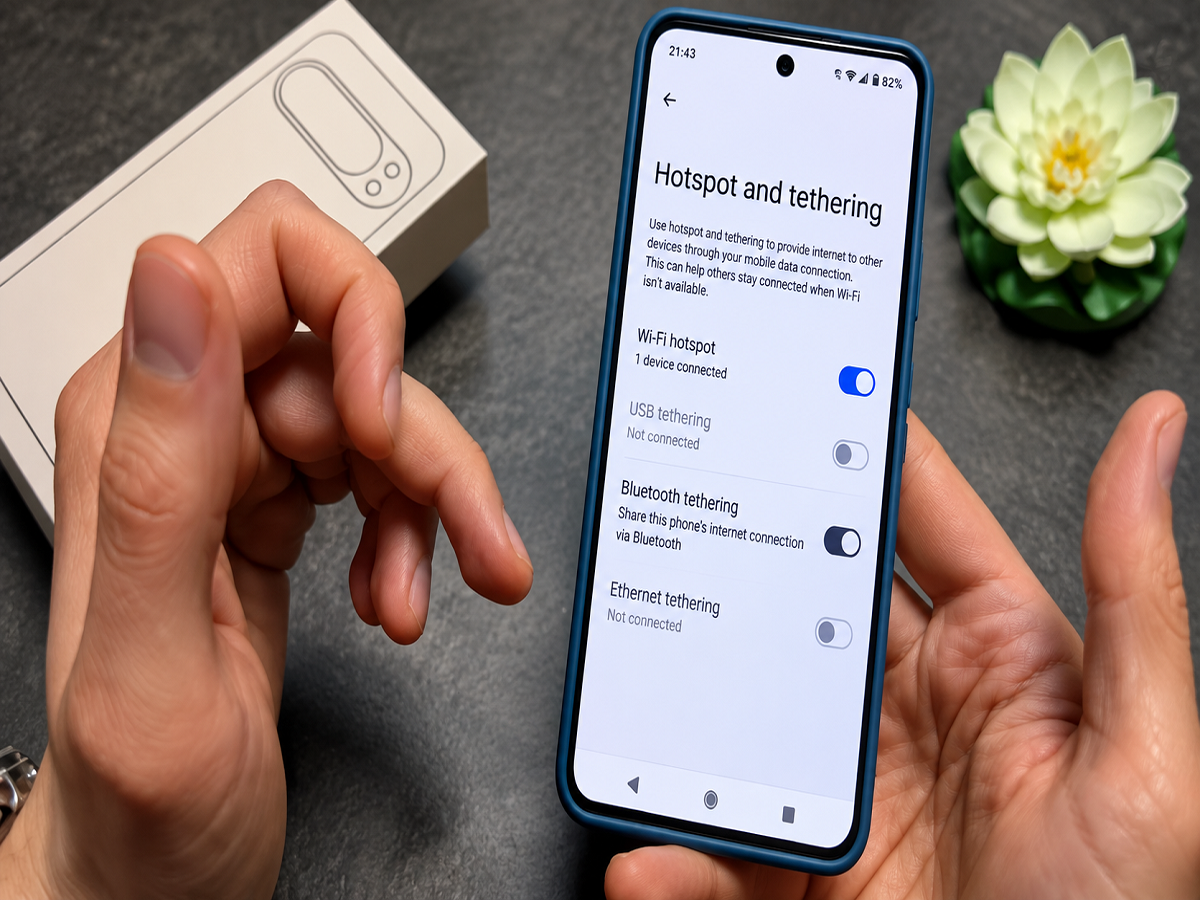
First, the two devices must be paired through Bluetooth. After pairing, Bluetooth tethering needs to be enabled in the smartphone’s network settings. The connected device can then use the phone as an internet gateway.
The smartphone continues to access the internet through mobile data, while Bluetooth creates the short-range connection between the phone and the second device.
Unlike a Wi-Fi hotspot, Bluetooth tethering does not usually create a conventional wireless network that appears in the device’s Wi-Fi menu. The connected device accesses the phone’s internet through its Bluetooth network settings.
How to enable Bluetooth tethering on Android
The exact menu names can vary depending on the smartphone brand and Android version. On most Android devices, users can follow these general steps:
- Open the Settings application.
- Select Network & Internet, Connections or a similarly named section.
- Open Hotspot & Tethering or Mobile Hotspot and Tethering.
- Enable Bluetooth Tethering.
- Turn on Bluetooth on both devices.
- Pair the phone with the laptop, tablet or second smartphone.
- Open the connected device’s Bluetooth settings and select the option to use the phone for internet access.
Some laptops may require users to open the Bluetooth device menu and choose “Access Point,” “Connect Using” or “Personal Area Network.” Compatibility and menu placement depend on the operating system.
If the option does not appear, users should update their device software and confirm that the receiving device supports internet access through Bluetooth.
Bluetooth tethering versus Wi-Fi hotspot
Both features share a smartphone’s internet connection, but they are designed for different situations.
| Feature | Bluetooth Tethering | Wi-Fi Hotspot |
|---|---|---|
| Connection speed | Generally slower | Usually much faster |
| Suitable range | Short distance | Wider coverage |
| Battery consumption | May use less power in some situations | Can consume more power |
| Best suited for | Email, messaging and light browsing | Streaming, downloads and video calls |
| Number of devices | Usually limited | Can support several devices |
| Setup process | Bluetooth pairing required | Connect using Wi-Fi password |
A Wi-Fi hotspot is normally the better choice for downloading large files, streaming high-resolution videos, attending video meetings or connecting multiple devices.
Bluetooth tethering is better suited to lightweight activities such as checking email, sending messages, opening simple websites or syncing small files. Actual performance depends on the Bluetooth version, mobile network speed, distance between the devices and hardware capabilities.
When should you use Bluetooth tethering?
Bluetooth tethering can be helpful when a laptop or tablet needs temporary internet access but using a Wi-Fi hotspot is not practical.
It may be useful in the following situations:
- You only need internet for email or basic web browsing.
- Your phone and the connected device are placed close together.
- You want to avoid creating a visible Wi-Fi hotspot.
- The receiving device’s Wi-Fi connection is not working.
- The surrounding area has many congested Wi-Fi networks.
- You want a connection that may consume less battery than a Wi-Fi hotspot.
- You only need to connect one device for a limited period.
The feature can also serve as a backup if a laptop’s Wi-Fi adapter is experiencing problems but its Bluetooth connection is functioning correctly.
When should Bluetooth tethering be avoided?
Bluetooth tethering is not ideal for every task. Its lower speed can become noticeable during data-heavy activities.
A Wi-Fi hotspot or USB tethering will usually be a better option if you need to:
- Stream HD or 4K video
- Download large applications or files
- Attend an important video conference
- Play online games
- Connect several devices simultaneously
- Transfer data at high speed
- Maintain a stable connection over a longer distance
USB tethering can offer a particularly stable connection while charging the phone at the same time. However, it requires a compatible cable and an available USB port.
Does Bluetooth tethering use mobile data?
Yes. In most cases, the smartphone shares its mobile-data connection, which means all internet activity performed by the connected device will count against the phone’s data allowance.
Laptop software updates, cloud backups and automatic downloads can consume a significant amount of data without being immediately noticeable. Users with limited mobile-data plans should enable a metered connection on their computer and pause unnecessary background updates.
Some phones may be capable of sharing an existing Wi-Fi connection through Bluetooth, but this behaviour varies by manufacturer and software version.
Important precautions to remember
Keep both devices close to each other for a reliable connection. Bluetooth has a limited practical range, and physical barriers or wireless interference can affect performance.
Users should pair only with trusted devices and remove unfamiliar Bluetooth connections from the phone. Even though pairing normally requires confirmation, leaving tethering active unnecessarily can increase battery and data consumption.
Your telecom plan must also permit tethering. Some carriers may restrict hotspot or tethering use, impose separate data limits or reduce speeds after a particular usage threshold.
Once the internet connection is no longer required, turn off Bluetooth tethering. This prevents unnecessary battery drain, reduces the possibility of an unintended connection and gives users better control over mobile-data consumption.
Bluetooth tethering is not a replacement for a fast Wi-Fi hotspot, but it remains a useful backup for short-range, low-bandwidth internet access.