Business
Mera Ration 2.0 App 2026: How to Download, Log In, Check Ration Card Details and File Complaints
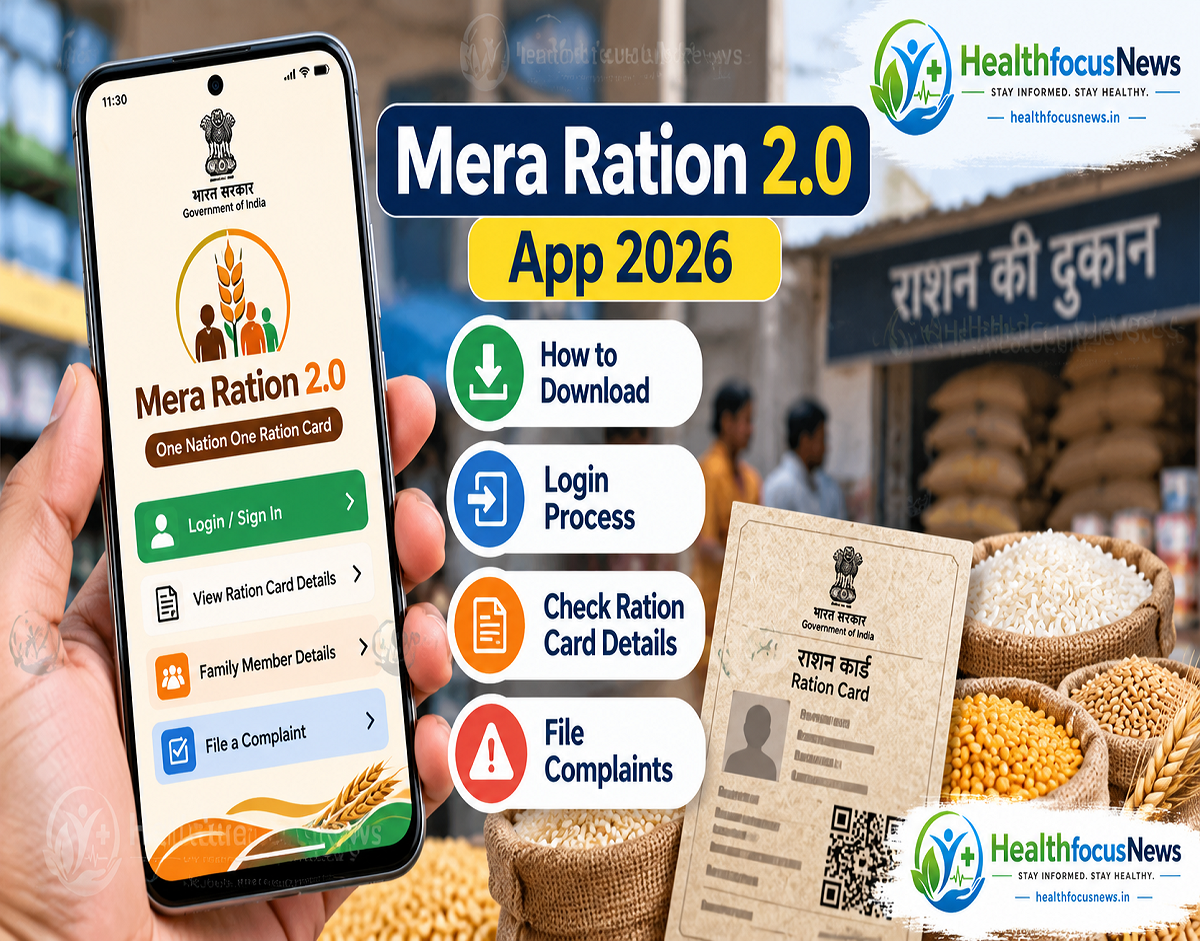
Mera Ration App 2026: Ration cardholders across India can access several Public Distribution System (PDS) services directly from their smartphones through the government's Mera Ration 2.0 mobile application. The app allows eligible users to check ration card information, view registered family members, track monthly foodgrain entitlements, review transaction history and locate nearby fair price shops. It also provides access to grievance-related services, helping beneficiaries obtain important information without repeatedly visiting government offices.
Mera Ration 2.0 App Makes Ration Card Services Easier
The government has introduced digital facilities to simplify access to essential services for beneficiaries covered under the Public Distribution System.
The Mera Ration 2.0 application is one such initiative designed to help ration cardholders access important information through their mobile phones.
Earlier, beneficiaries often depended on ration dealers or government offices to obtain information about their ration card, foodgrain allocation and transaction records.
With digital services becoming more accessible, many of these details can now be checked online.
The application is particularly useful for families who want to confirm their monthly ration entitlement or review information about household members registered under their ration card.
It can also help beneficiaries identify fair price shops and obtain information related to ration distribution.
However, the availability of individual services may depend on the user's state, account details and the app's current functionality.
What Is the Mera Ration 2.0 App?
Mera Ration 2.0 is a mobile application associated with India's public food distribution system.
It is designed to provide ration card beneficiaries with convenient access to information and selected services related to their entitlements.
The application supports the broader objective of improving transparency and accessibility in ration distribution.
For eligible beneficiaries, it can reduce the need to visit ration shops or government offices merely to check basic account information.
The app is also relevant to the One Nation One Ration Card initiative, which seeks to make subsidised foodgrain distribution more accessible to eligible beneficiaries, including those who move between different locations.
Users should remember that the app primarily serves as a digital information and service platform. Installing it does not automatically create eligibility for subsidised ration benefits.
What Services Are Available on Mera Ration 2.0?
The application provides access to several useful features for ration cardholders.
| App Feature | How It Helps Beneficiaries |
|---|---|
| Ration Card Information | View available details linked to the ration card |
| Family Member Details | Check household members registered under the card |
| Monthly Ration Entitlement | See the quantity of foodgrains allocated under the applicable scheme |
| Ration Transaction History | Review available records of previous distributions |
| Fair Price Shop Locator | Find nearby ration distribution outlets |
| Complaint Services | Access grievance-related options where supported |
| Scheme Information | Obtain information about relevant ration services and benefits |
The exact menu names and available features may differ depending on the app version and state-level integration.
How to Download the Mera Ration 2.0 App on Android
Ration cardholders using Android smartphones can look for the official application on the Google Play Store.
Follow these steps:
- Open the Google Play Store on your Android smartphone.
- Enter Mera Ration 2.0 in the search bar.
- Carefully identify the official government application by checking its developer and publisher information.
- Tap Install to download the application.
- Once installation is complete, open the app.
- Select your preferred language if the language-selection option is displayed.
- Continue to the login or available services section.
Users should avoid installing applications from unknown websites, unofficial APK links or messages received through social media.
Fraudulent applications may attempt to collect personal information or misuse identity-related details.
The safest approach is to verify the application through official government sources before installation.
Mera Ration 2.0 Login: Step-by-Step Guide
After installing the app, users can proceed with the authentication process required for their chosen service.
The following steps provide a general guide.
Step 1: Open the Mera Ration 2.0 application on your smartphone.
Step 2: Select the login option or the relevant service from the home screen.
Step 3: Enter the requested details. Depending on the service, the application may require Aadhaar-linked information, ration card details or another supported identification method.
Step 4: Complete the verification process shown on the screen. If OTP authentication is offered, enter the one-time password received on the registered mobile number.
Step 5: After successful verification, access the available ration card services.
Step 6: Select the relevant option to check household information, foodgrain entitlement or transaction details.
The exact authentication method may change with app updates. Users should follow the instructions displayed in the official application rather than assuming that every version supports the same login process.
How to Check Family Members Linked to Your Ration Card
One of the most useful features of the application is the ability to review available household information.
After logging in, users can look for the ration card details or family member section.
The application may display information about the individuals registered under the household's ration card.
This can help beneficiaries identify whether the available digital records reflect their current family details.
If any information appears incorrect or outdated, users should check the applicable state food department's correction procedure.
It is important to understand that viewing household information does not necessarily mean that every detail can be edited directly through the app.
Some changes may require verification or approval by the relevant authorities.
How to Check Your Monthly Ration Entitlement
Ration cardholders can also use the application to check the foodgrain quantity allocated to their household.
The entitlement depends on the applicable government scheme, ration card category and the number of eligible beneficiaries.
For example, under the National Food Security Act, eligible priority households generally receive an entitlement of 5 kilograms of foodgrains per person per month.
Antyodaya Anna Yojana households generally have an entitlement of 35 kilograms of foodgrains per household per month.
These are broad statutory entitlement categories, and applicable distribution arrangements should be checked through official records.
To view the relevant details, users can open the entitlement section of the application after completing any required verification.
The information may help beneficiaries compare their recorded allocation with the quantity provided at the fair price shop.
How to Check Previous Ration Transactions
The Mera Ration application can also provide access to available transaction records.
This feature may help users review details of ration distribution recorded against their card.
Depending on the data available, beneficiaries may be able to check previous foodgrain transactions and identify possible discrepancies.
For example, if a transaction appears in the digital record but the beneficiary believes the corresponding ration was not received, the issue may require clarification from the fair price shop or relevant food department.
Transaction history is particularly useful for promoting transparency in ration distribution.
However, records may not always update immediately, and data availability can vary across states and systems.
How to Find a Nearby Fair Price Shop
The application also provides a way to search for fair price shops associated with the ration distribution network.
Beneficiaries can look for the relevant shop-location feature and follow the instructions displayed.
Depending on the service, the app may show information about nearby or registered ration outlets.
This facility can be useful for people who have recently moved or need to identify a suitable ration distribution point.
Beneficiaries using portability facilities under the One Nation One Ration Card system should check the applicable authentication and eligibility requirements before collecting foodgrains from another location.
They should also confirm the shop's operating hours and current distribution arrangements.
How to File a Complaint About a Ration Dealer
Problems related to ration distribution can create difficulties for beneficiaries who depend on subsidised foodgrains.
Common concerns may include receiving less than the entitled quantity, discrepancies in recorded transactions, or being asked to pay an unauthorised amount.
The Mera Ration platform may provide access to grievance-related services or relevant complaint information.
Where a complaint facility is available, users should follow the instructions provided in the app and submit accurate details of the issue.
Useful information may include the ration card reference, fair price shop details, date of the incident and a clear description of the complaint.
Beneficiaries should avoid sharing OTPs, passwords or unnecessary sensitive personal information with anyone claiming to resolve a complaint.
If the required grievance option is unavailable in the application, users can contact the relevant state food and civil supplies department through its official complaint channels.
What to Do If the Mera Ration App Is Not Working
Some users may experience difficulties while installing the application or accessing services.
Common issues can include network problems, outdated app versions, authentication errors or temporary server unavailability.
If the application does not work properly, users can first check their internet connection and confirm that they are using the official version.
Updating the app through the Google Play Store may resolve certain technical issues.
If OTP verification fails, users should check whether the relevant mobile number is registered and whether the authentication service is functioning.
Repeated unsuccessful attempts should be avoided if the application imposes temporary restrictions.
For unresolved problems, beneficiaries should seek guidance through official government support channels.
Important Safety Tips for Ration Cardholders
Digital services can improve convenience, but users should remain alert to online fraud.
Do not share OTPs, Aadhaar authentication codes or account credentials with unknown callers.
Avoid clicking suspicious links promising additional free ration, cash transfers or immediate ration card approval.
Government services should be accessed through verified applications and official websites.
Beneficiaries should also remember that app installation is not a substitute for completing mandatory eligibility verification or other procedures required by their state.
If a ration card requires correction, eKYC or another administrative update, users should follow the official instructions issued by the relevant department.
Why Mera Ration 2.0 Is Useful for Beneficiaries
The application can make it easier for households to monitor their ration-related information.
By providing access to entitlement details and transaction records, it may help beneficiaries understand the quantity of foodgrains they are eligible to receive.
The fair price shop locator can also improve convenience for people travelling or living away from their usual place of residence.
For government departments, digital access can support transparency by making certain distribution records easier for beneficiaries to review.
However, the usefulness of these services depends on accurate data, reliable connectivity and effective grievance resolution mechanisms.
Final Takeaway
The Mera Ration 2.0 app offers ration cardholders a convenient way to access important Public Distribution System information from their smartphones.
Through the application, eligible users can check available family details, review monthly foodgrain entitlements, examine transaction records and search for fair price shops.
Selected grievance-related facilities may also help beneficiaries report problems with ration distribution.
Ration cardholders should download only the verified government application, follow the current login instructions and use official state food department channels whenever corrections or additional assistance are required.
Disclaimer: This article is for general information. App features, login procedures, eligibility requirements and state-level services may change. Beneficiaries should verify the latest instructions through official government platforms before taking action.
Add a clear Hindi reader-facing versionCondense repetitive sections and warnings