
Technology
iPhone Warranty Check 2026: How to Find Your Apple Warranty Expiry Date Online in Minutes
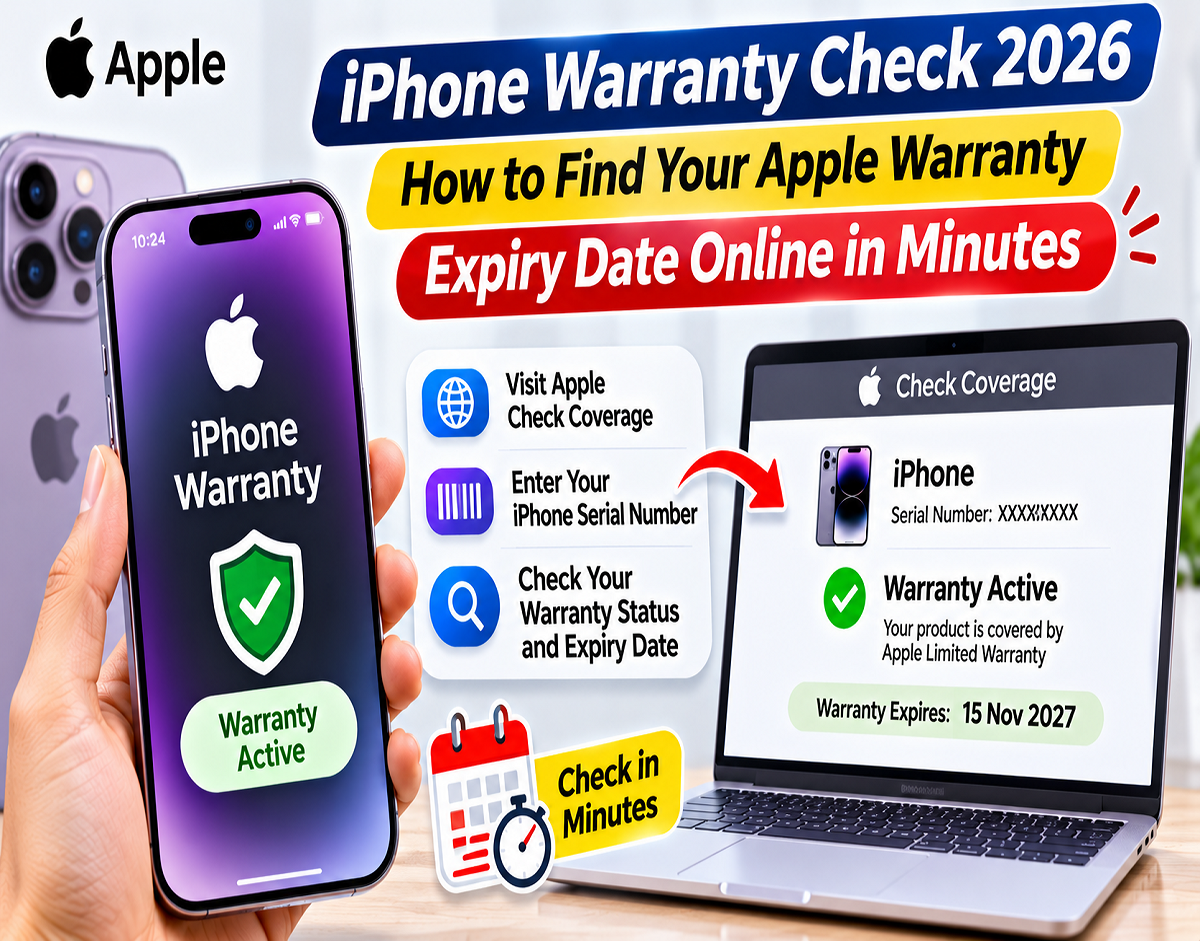
iPhone Warranty Check Online: Do you know when your iPhone's warranty will expire? Many Apple users discover that their warranty has ended only after experiencing a technical problem with their device. Fortunately, Apple provides several convenient ways to check warranty coverage, service eligibility and AppleCare plan details without visiting a service centre.
Whether you recently purchased a new iPhone, are experiencing hardware problems or plan to buy a second-hand Apple device, checking its warranty status can help you make informed decisions.
You can find this information directly through your iPhone's Settings, Apple's official Check Coverage website or your Apple Account.
Here is a complete guide to checking your iPhone warranty, understanding AppleCare coverage and identifying important details before buying a used device.
How Long Does Apple Provide Warranty on a New iPhone?
Apple generally provides a one-year Limited Warranty with a new iPhone.
This warranty covers eligible manufacturing defects and hardware-related problems under Apple's applicable terms and conditions.
For example, if an iPhone develops a qualifying hardware fault during the warranty period, Apple may provide repair or other remedies according to its warranty policy.
However, accidental damage is generally not covered by the standard Limited Warranty.
If your iPhone screen breaks after a fall or the device suffers accidental liquid damage, you may have to pay for repairs unless you have an eligible additional protection plan.
AppleCare+ offers expanded coverage for certain types of accidental damage, subject to the plan's terms and applicable service fees.
It is important to remember that having an active warranty does not automatically mean every repair will be free.
Method 1: How to Check iPhone Warranty Through Settings
If your iPhone is working and accessible, checking its warranty through Settings is one of the easiest methods.
Follow these steps:
Step 1: Unlock your iPhone and open the Settings application.
Step 2: Scroll down and tap General.
Step 3: Select AppleCare & Warranty.
Step 4: Choose your iPhone from the list of available devices.
Step 5: Review the displayed coverage information.
Depending on your device, you may see details about Apple's Limited Warranty, an active AppleCare plan or an expired coverage period.
If the warranty is active, the coverage expiry date may also be displayed.
The information shown can vary depending on the iPhone model, iOS version and coverage status.
This method is particularly useful because it does not require you to manually enter the device's serial number on a website.
Method 2: Check iPhone Warranty Online Using Apple's Official Website
Apple also provides an online tool that allows users to check the service and warranty coverage of eligible devices.
This method is useful when you want to verify a second-hand iPhone or check coverage using a different smartphone or computer.
Follow these instructions:
- Open a web browser on your phone or computer.
- Visit Apple's official Check Coverage website.
- Enter the iPhone's serial number.
- Complete the verification process if requested.
- Submit the details.
- Review the warranty and service coverage information displayed.
The website may show the device's coverage status and related support information.
For the most accurate results, enter the serial number exactly as it appears in the device's official settings.
Where Can You Find Your iPhone Serial Number?
To check warranty coverage through Apple's website, you generally need the device's serial number.
The serial number is different from the IMEI, which is commonly used to identify devices on mobile networks.
You can find your iPhone's serial number by following these steps:
Step 1: Open Settings.
Step 2: Tap General.
Step 3: Select About.
Step 4: Find the Serial Number field.
Step 5: Touch and hold the number to copy it, where supported.
You may also find the serial number on the original device packaging.
In certain circumstances, device information may be accessible from the information icon on the initial setup screen.
Avoid posting your iPhone's serial number publicly or sharing it unnecessarily with unknown individuals.
Method 3: Check Apple Warranty Through Your Apple Account
Apple also allows users to access device support and coverage information through their Apple Account.
This method can be convenient if you own multiple Apple devices.
Follow these steps:
- Visit Apple My Support.
- Sign in using your Apple Account.
- Complete any additional security verification.
- Select your iPhone from the available devices.
- Open the relevant coverage or support information.
- Review the warranty details associated with your device.
Depending on your device and coverage, Apple may also provide an option to view or obtain proof of coverage.
This information can be useful when arranging repairs or confirming the status of an AppleCare plan.
Apple Limited Warranty vs AppleCare+: What Is the Difference?
Many iPhone owners assume that Apple's standard warranty and AppleCare+ provide identical protection.
However, the two have different coverage conditions.
| Coverage Type | Main Benefits |
|---|---|
| Apple Limited Warranty | Generally covers eligible manufacturing defects and hardware faults for one year |
| AppleCare+ | Provides additional protection, including eligible accidental damage, subject to service fees |
| AppleCare+ with Theft and Loss | Includes eligible theft and loss protection where the plan is offered, subject to conditions and charges |
AppleCare+ availability, coverage periods and service fees depend on the country, device and purchased plan.
Before buying additional protection, review the specific policy applicable to your iPhone.
Does AppleCare+ Cover a Broken Screen?
AppleCare+ can provide coverage for eligible accidental damage, including certain screen-related incidents.
For example, if your iPhone screen cracks after an accidental fall, an eligible AppleCare+ plan may reduce the cost of repair.
However, an applicable service fee may still be charged.
The amount depends on the type of damage, the device and the plan's conditions.
The standard Apple Limited Warranty generally does not cover accidental screen damage.
Therefore, users should check their coverage before assuming that a cracked screen can be repaired free of charge.
Is iPhone Battery Replacement Covered Under Warranty?
Battery coverage depends on the reason for the problem and the type of protection plan.
Apple's standard Limited Warranty may cover a battery that has a qualifying manufacturing defect.
However, ordinary battery ageing and gradual capacity reduction are generally not treated as manufacturing defects.
Under eligible AppleCare+ coverage, Apple may replace the battery without an additional service fee if its capacity falls below 80% of its original capacity, subject to the applicable terms.
You can check battery information through your iPhone's Battery settings.
The exact menu and available battery health details depend on your iPhone model and iOS version.
What If Your iPhone Warranty Expiry Date Is Incorrect?
Sometimes Apple's recorded purchase date may not match the actual date on which an iPhone was purchased.
This can result in an incorrect warranty expiry date.
For example, a newly purchased device might display a coverage date that appears earlier than expected.
If this happens, keep your original purchase invoice or receipt ready.
Contact Apple Support and explain the discrepancy.
Apple may ask for valid proof of purchase before correcting the recorded purchase date.
After verification, the company may update the coverage information where appropriate.
Keeping the original invoice is therefore important, even if your iPhone's warranty status is already visible online.
Buying a Second-Hand iPhone? Check These 5 Things First
Checking the warranty is important when purchasing a used iPhone, but it should not be the only verification step.
A second-hand device may have an active warranty while still having other problems.
1. Check Activation Lock
Before purchasing, make sure the iPhone is no longer linked to the previous owner's Apple Account.
Ask the seller to sign out, erase the device properly and remove it from their account.
If the setup process asks for the previous owner's Apple Account credentials, do not proceed with the purchase until the issue is resolved.
2. Review Parts and Service History
On supported iPhone models and iOS versions, open:
Settings → General → About → Parts and Service History
This section may provide information about certain components that have been repaired or replaced.
The available details depend on the device model and software version.
3. Check Battery Health
Open the Battery section in Settings and look for the battery health information.
Review the maximum capacity and any available battery condition alerts.
A battery with significantly reduced capacity may need replacement sooner.
However, battery health alone does not establish the overall condition of a used iPhone.
4. Test Important Hardware Components
Before paying for a second-hand iPhone, check its screen, cameras, speakers, microphone, buttons and charging port.
Also test the touchscreen, mobile connectivity, Wi-Fi and Face ID or Touch ID, where supported.
Make sure the device charges normally and does not show obvious hardware problems.
5. Ask for the Original Purchase Invoice
If the seller claims that the iPhone is still under warranty, request the original invoice.
Compare the device information with the available purchase documentation.
Remember that buying a used iPhone does not restart Apple's original one-year Limited Warranty.
Any remaining coverage is subject to the original warranty period and applicable terms.
Can You Check iPhone Warranty Without a Purchase Bill?
Yes. You can generally check the available warranty information through Apple's Check Coverage website using the device's serial number.
You do not normally need to upload a purchase invoice simply to view the coverage status.
However, Apple may request proof of purchase if there is a disagreement about the recorded purchase date or if additional verification is required.
For this reason, keeping the invoice remains advisable.
Does Apple Warranty Cover Water Damage?
Accidental liquid damage is generally excluded from Apple's standard Limited Warranty.
Although many modern iPhone models have water-resistance ratings, water resistance is not permanent and may decrease with normal wear.
If your iPhone suffers liquid damage, repair charges may apply.
Eligible AppleCare+ plans can provide accidental damage coverage subject to the applicable service fee and terms.
Do not assume that a water-resistant iPhone is automatically covered for all water-related damage.
Can You Check Warranty After It Has Expired?
Yes. Apple's coverage tools may still display information indicating that a device's warranty or AppleCare coverage has expired.
This can help you understand whether your iPhone is eligible for warranty service or whether a repair may involve out-of-warranty charges.
Even if the warranty has ended, Apple or an authorised service provider may offer paid repair services, depending on parts availability and device eligibility.
Final Words
Checking your iPhone's warranty is a simple process that can be completed without visiting an Apple service centre.
You can review coverage information directly through Settings → General → AppleCare & Warranty, enter your device's serial number on Apple's official Check Coverage website or access support information through your Apple Account.
Knowing your warranty expiry date can be useful when arranging repairs, considering AppleCare protection or purchasing a second-hand device.
However, always remember that Apple's standard Limited Warranty and AppleCare+ have different coverage conditions.
Before requesting a repair, check the applicable terms, service fees and eligibility requirements.
Source Credit: Apple Support; Apple Check Coverage; Apple My Support. Article independently rewritten and adapted from the supplied Hindi content. Warranty benefits, AppleCare plans and repair charges may vary by region, device and coverage terms.